QR card
Download the QR code from the panel and print it on a table, room or takeaway card.
A one-minute survey from the QR card on the table. NPS and criteria scores land on your dashboard. Guests who score low automatically get a recovery coupon; guests who score high get a thank-you treat.
On every plan · Included in the trial
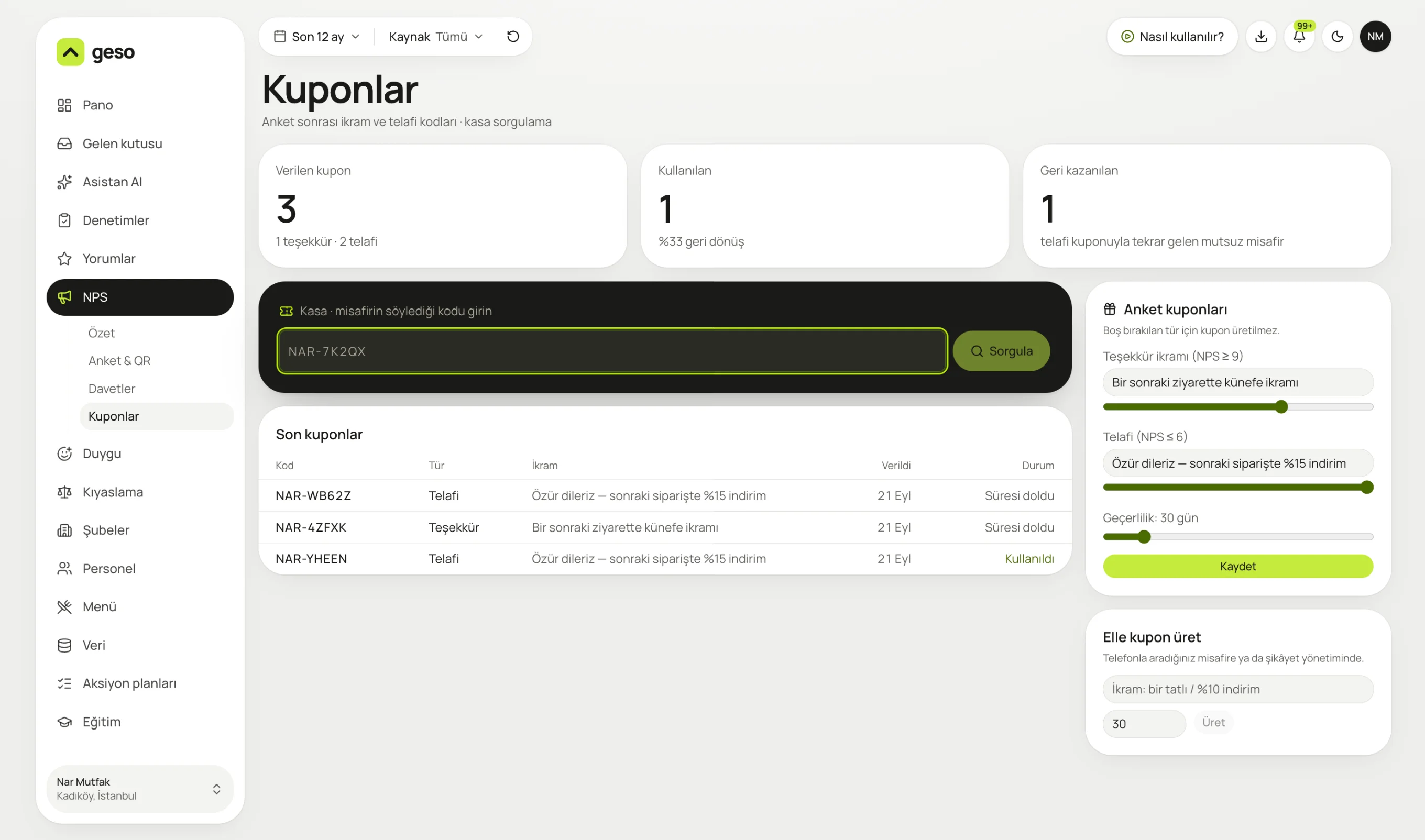
Real panel screen. The sample business “Nar Mutfak” and its data are for demo purposes.
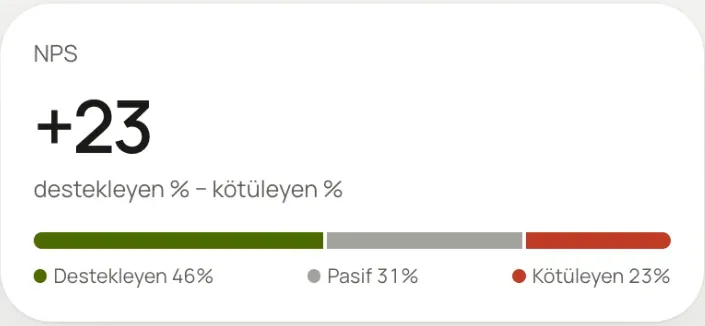
46% promoters, 31% passives, 23% detractors. NPS is the gap between promoters and detractors.
Find out what guests think before they leave, or the next day. Bring an unhappy guest back with a coupon before they write a bad review on Google.
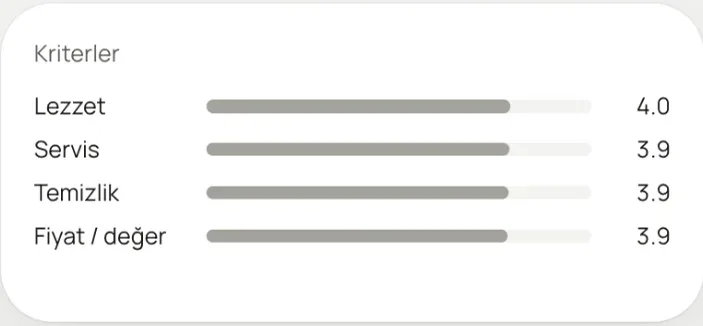
Taste 4.0; service, cleanliness and value 3.9. Change the criteria to fit your business.
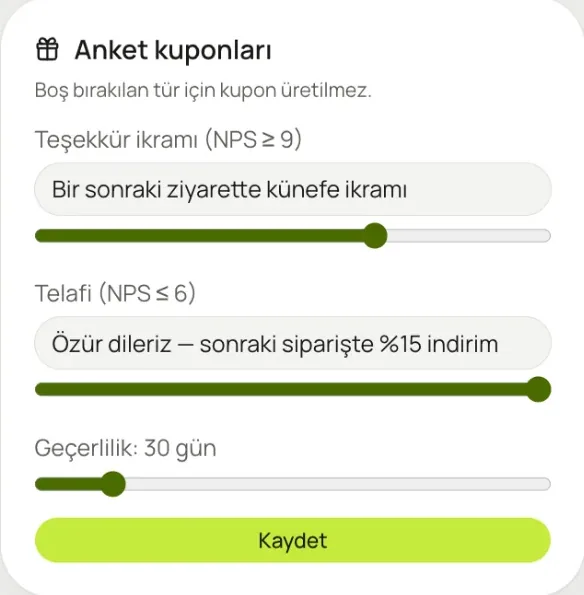
Thank-you treat, recovery discount and validity period: set them once.
Download the QR code from the panel and print it on a table, room or takeaway card.
Questions and criteria come ready for your industry. Change them as you like.
Your recommendation score on a weekly chart, with the latest answers alongside.
Guests who score you high see a link to leave a Google review.
Automatic, based on your rule. You can also create a coupon by hand for a guest you've called.
Send survey invites from your guest list.
No, it opens in the browser. No sign-up, no login.
Only if the guest explicitly agrees. Surveys are anonymous by default.
Type the code into the till field on the Coupons screen and hit “Look up”. If it's valid, it's marked as redeemed.
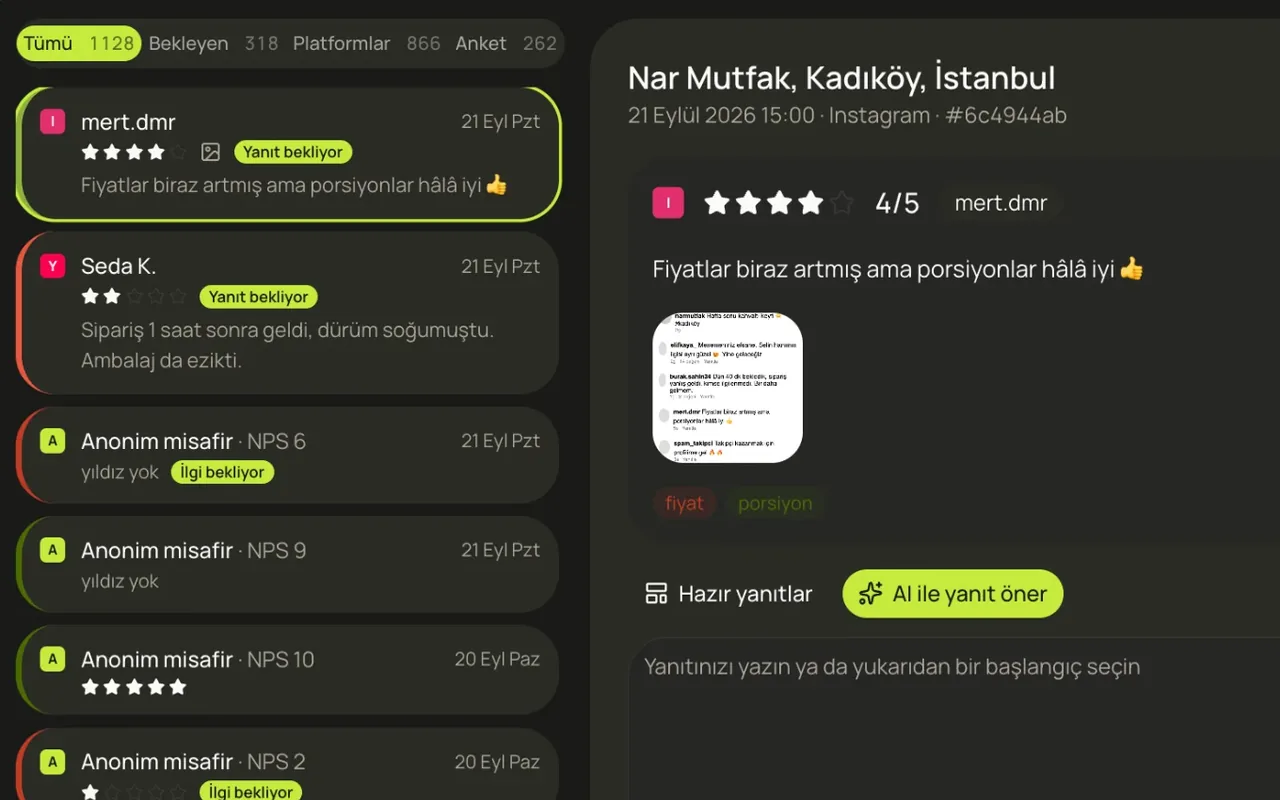
Reviews from Google, QR surveys, Yemeksepeti, Getir, Trendyol, Instagram and TikTok in one list.
Learn more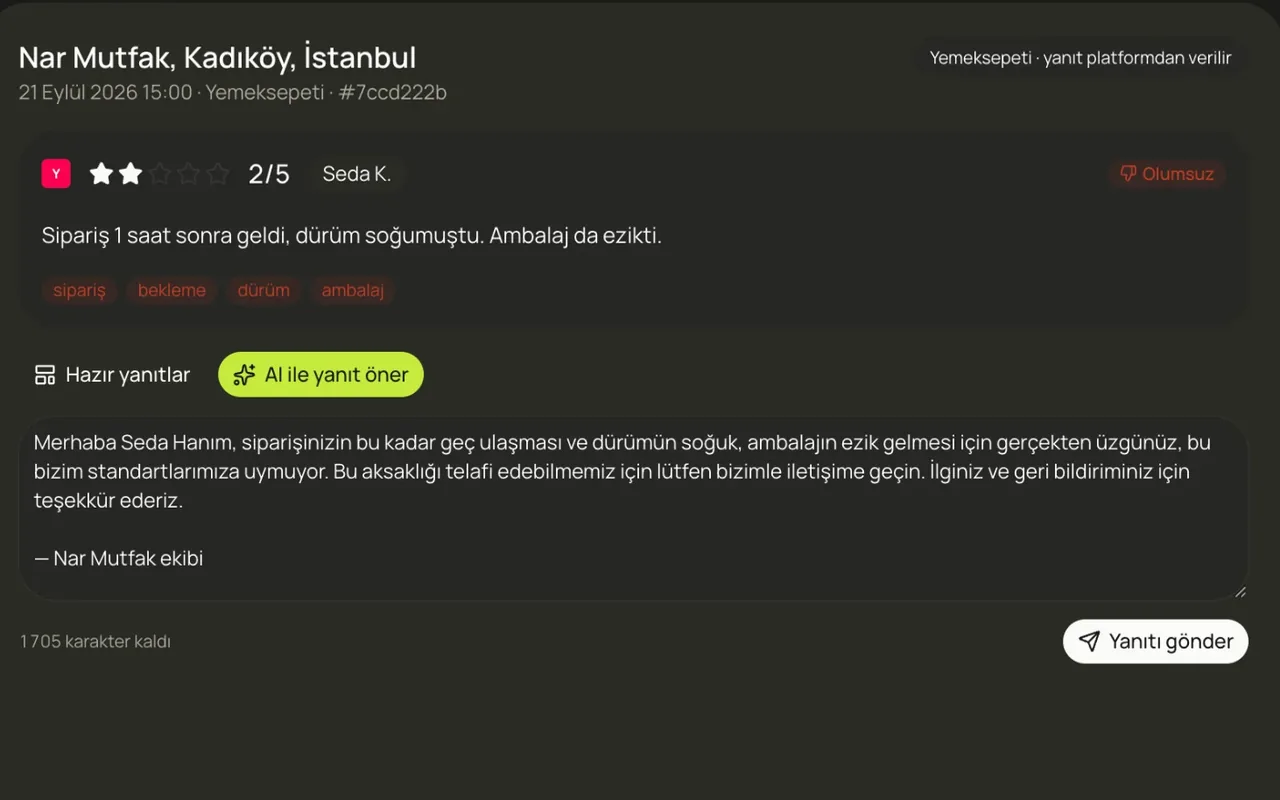
A draft reply to every review, in your voice. Edit it and send.
Learn more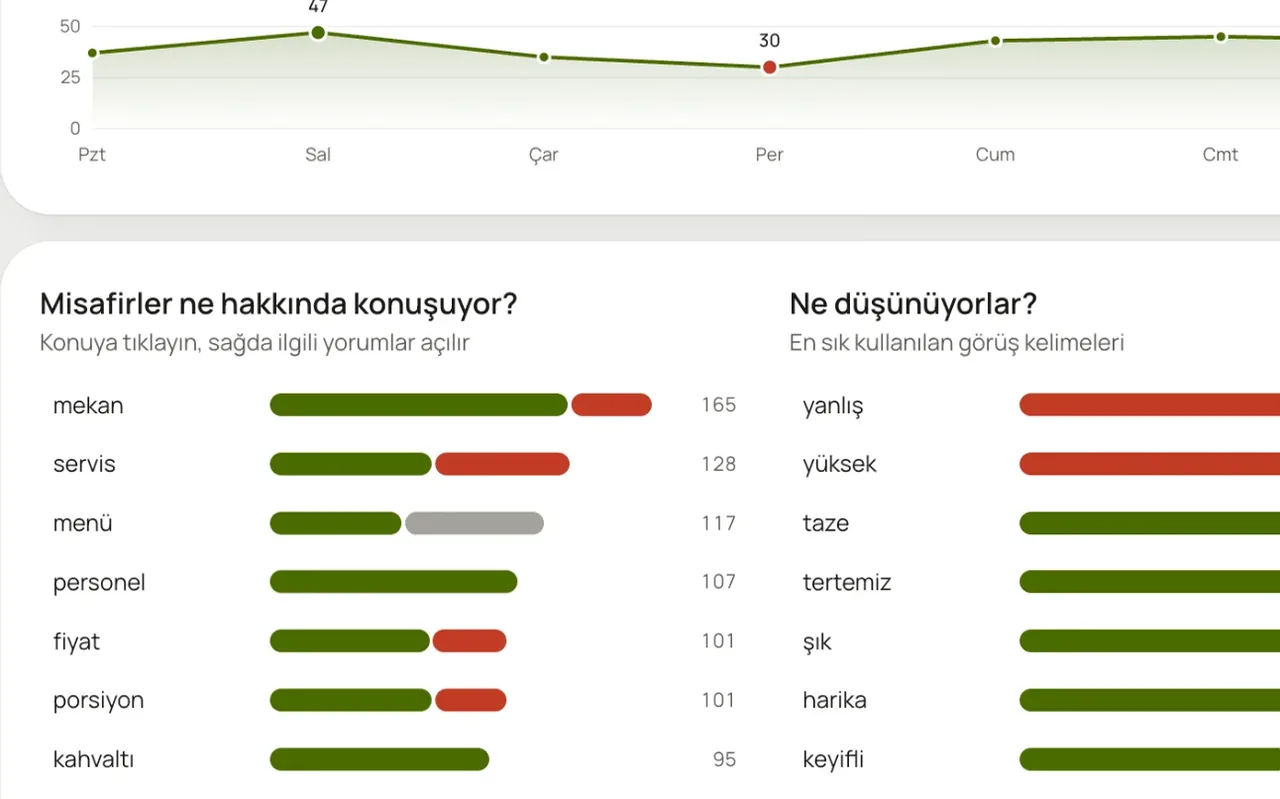
What are guests talking about, and is it good or bad? Topic by topic, day by day.
Learn moreIn a 20-minute demo, we load your Google reviews and look at what the assistant says, together.
No card required · 10-minute setup · Cancel anytime