Dashboard summary
Open the dashboard and the assistant's summary sits on top: rating changes, the standout complaint and what's going well.
The assistant reads your reviews, surveys and audits. At the top of your dashboard it writes what changed and the one thing to do this week. Ask it a question and it answers with numbers.
On every plan · Included in the trial
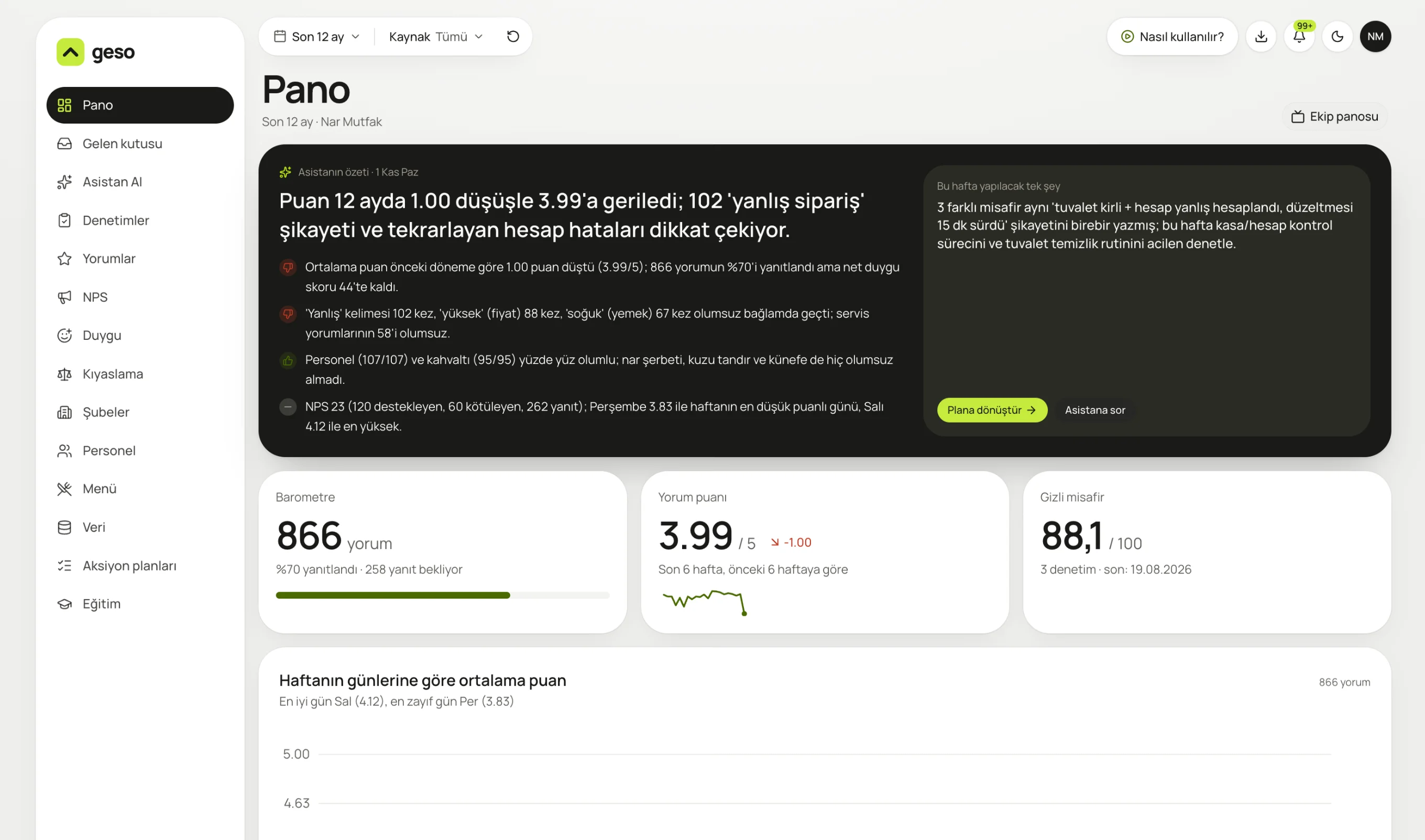
Real panel screen. The sample business “Nar Mutfak” and its data are for demo purposes.
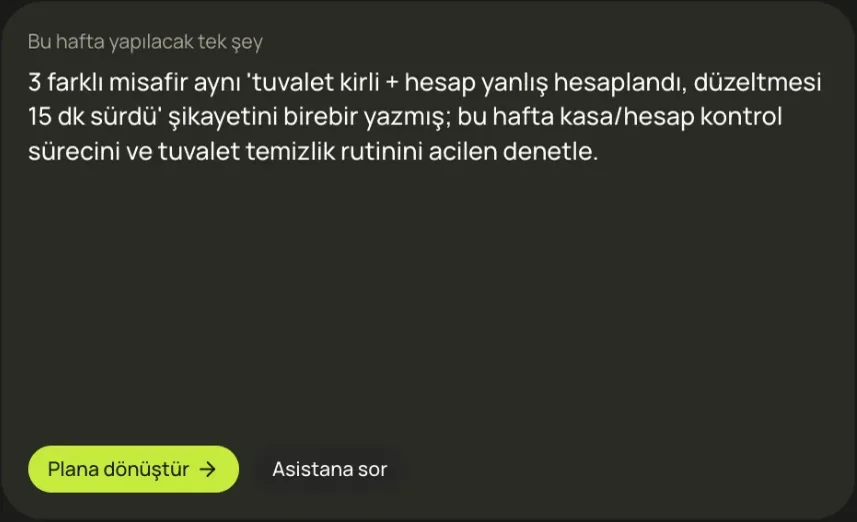
Concrete: which complaint, how many guests, what to check. One click turns it into a plan.
Learn what's going well and what isn't, without reading hundreds of reviews one by one. The assistant names the problem and suggests what to do.
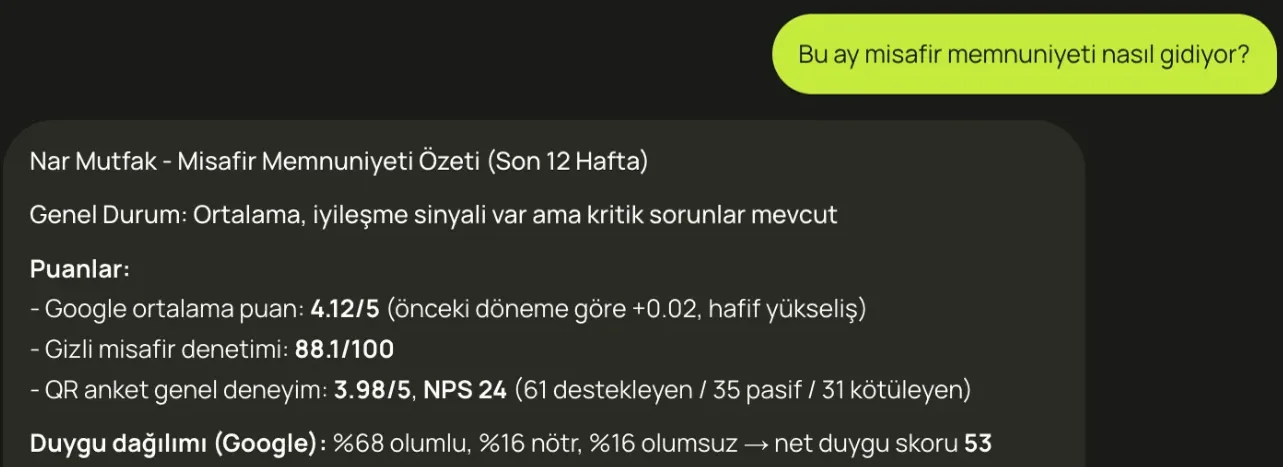
“How is guest satisfaction this month?” answered with Google rating, audit score, NPS and the sentiment breakdown.
Open the dashboard and the assistant's summary sits on top: rating changes, the standout complaint and what's going well.
Questions like “Why did breakfast drop last month?” get answered from your reviews, surveys and audits.
Turn a suggestion into a plan with an owner and a due date in one click.
An email every Monday morning: numbers, topics and the suggested task.
Guidelines for restaurants, cafés and hotels come built in.
Answers come from your business's data. It won't claim anything that isn't there.
Only your business's reviews, surveys, audits and settings. You never see another business's data.
Yes. Give the assistant a name that fits your business, right in the panel.
The summary shows which numbers it's based on, so you can check the related reviews in the inbox. Your feedback improves future suggestions.
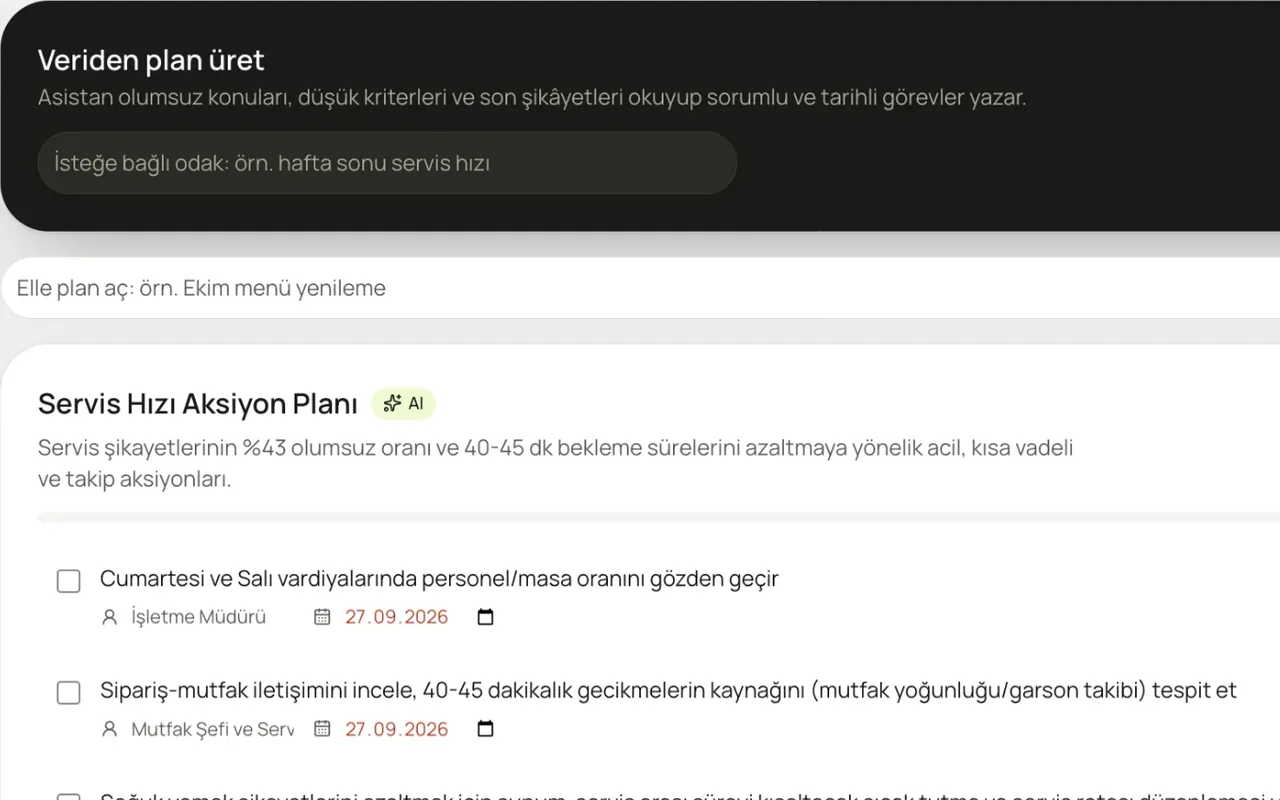
Turn complaints into tasks with an owner and a due date. Let AI write the plan.
Learn more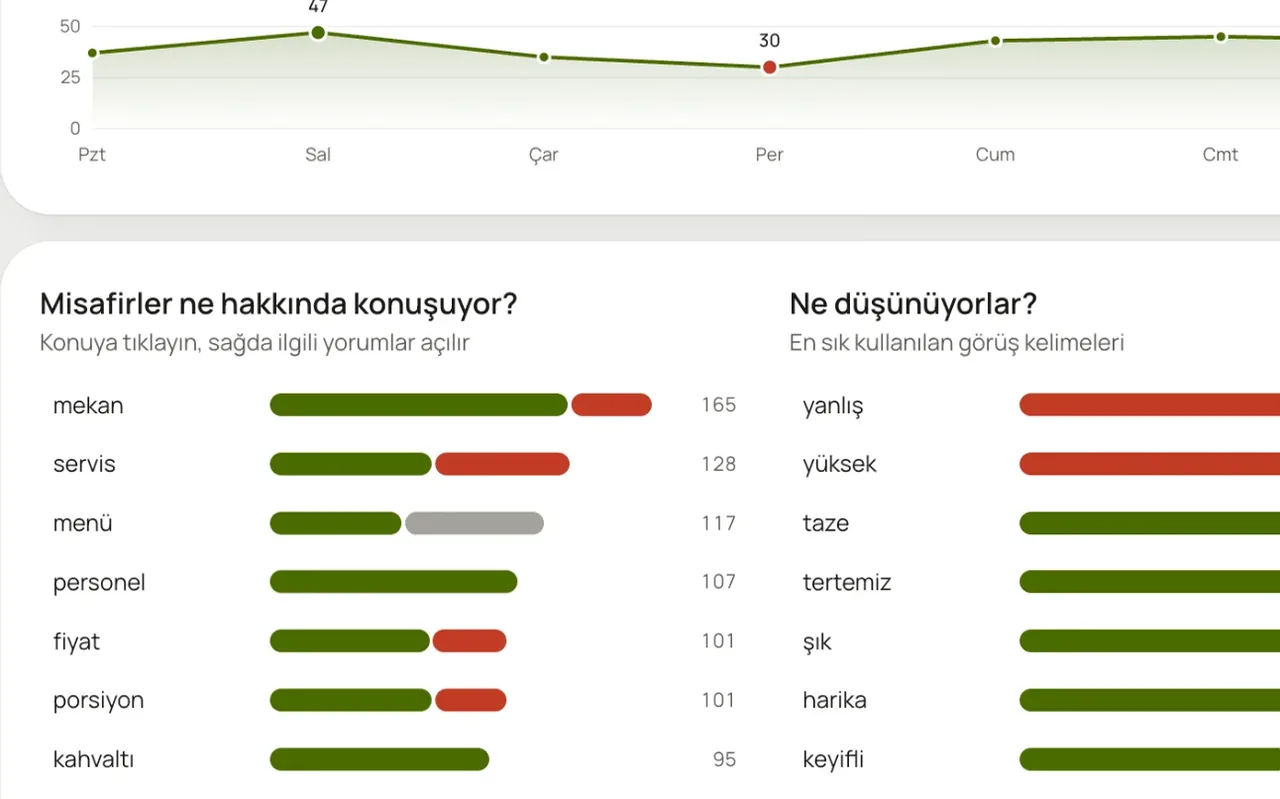
What are guests talking about, and is it good or bad? Topic by topic, day by day.
Learn more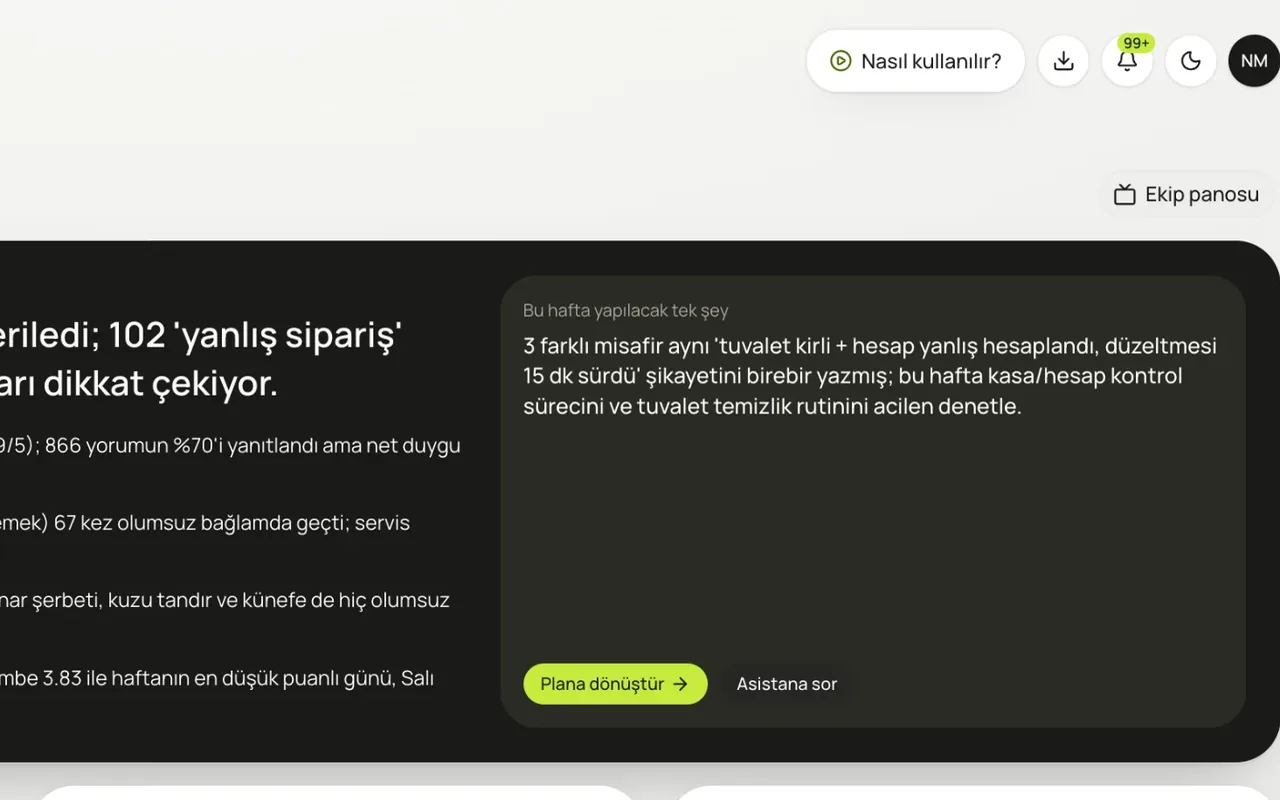
Low-rating alerts, a Monday report, a team board on the kitchen screen, and CSV export.
Learn moreIn a 20-minute demo, we load your Google reviews and look at what the assistant says, together.
No card required · 10-minute setup · Cancel anytime