geso looply: your brand's own app
The bill closes.
The guest stays.
Tables, tabs, payments and a loyalty app with your name on it, in one system. Guests see their points and rewards on their phone and scan their QR at the till. Every bill connects to what they say the next day.
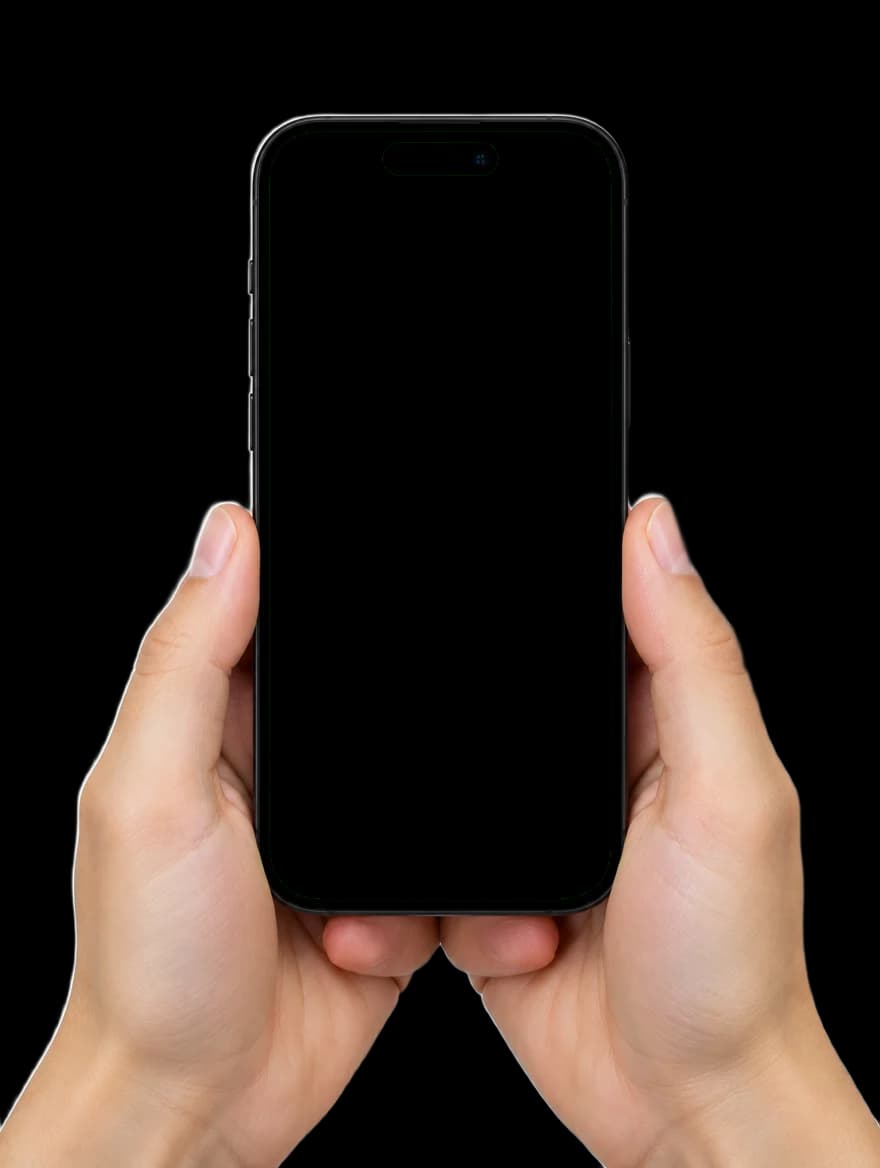
On your guest's phone, your app.
The name, logo, colours, what the points are called and the rewards: all yours. Guests don't see geso; they see your brand. There's nothing to download from an app store. It's added to their home screen with your icon.
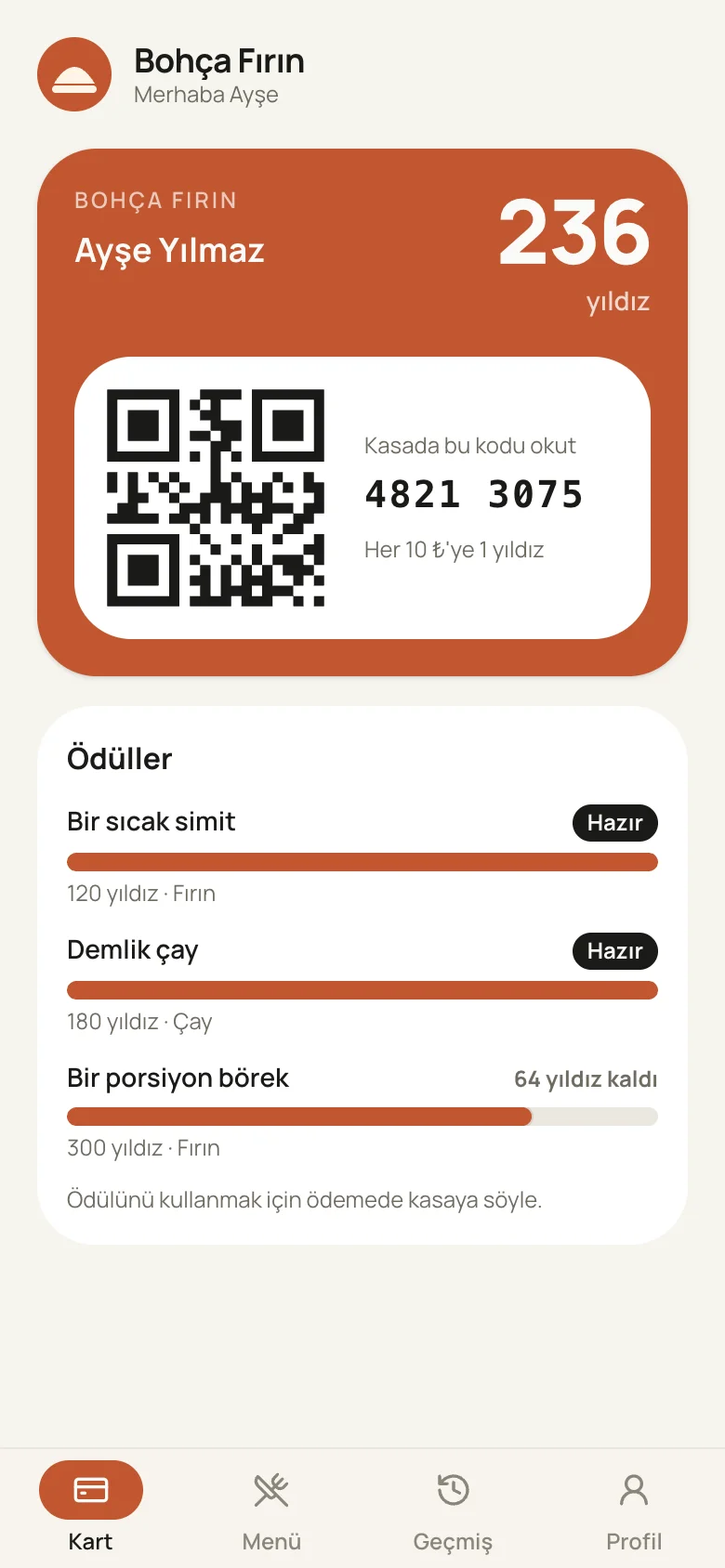
Bohça Fırın
collects stars
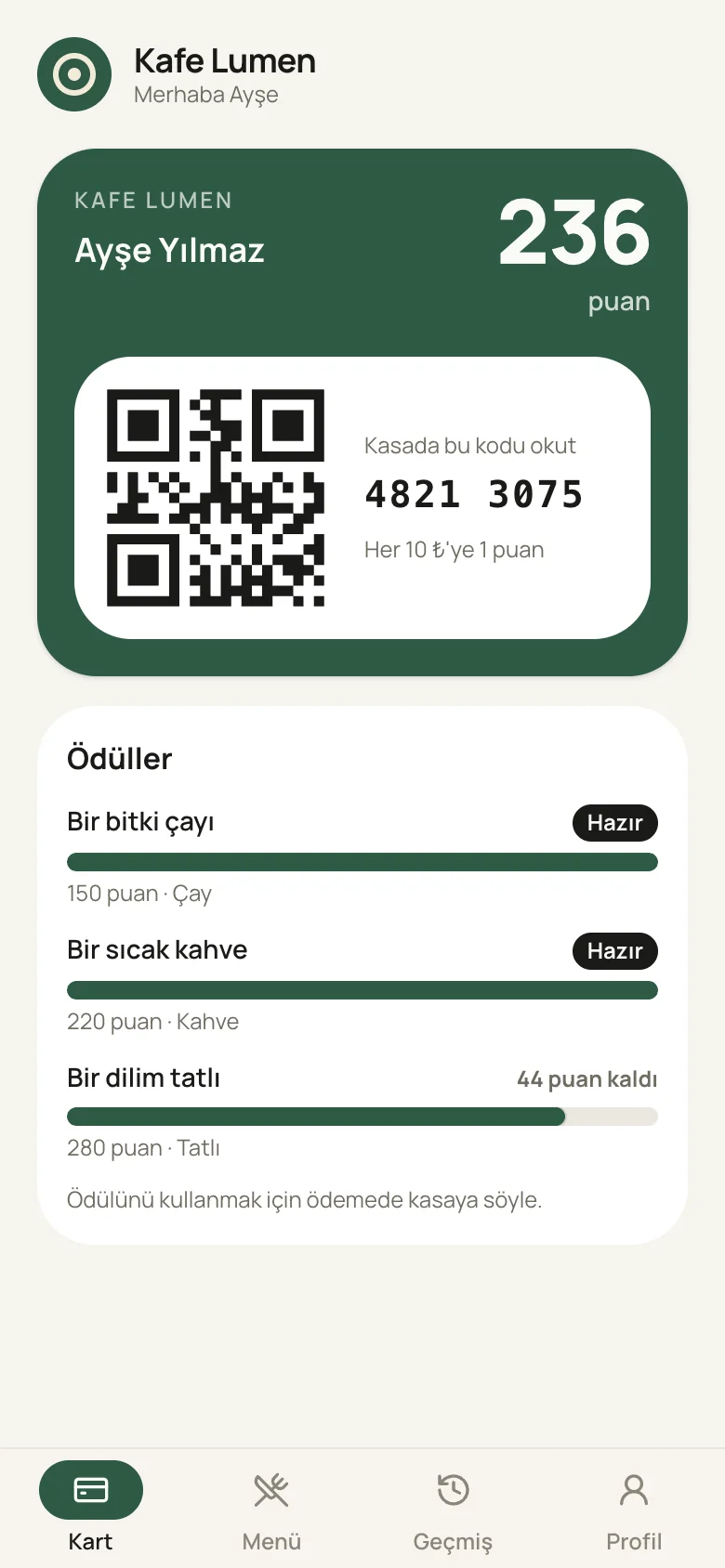
Kafe Lumen
collects points
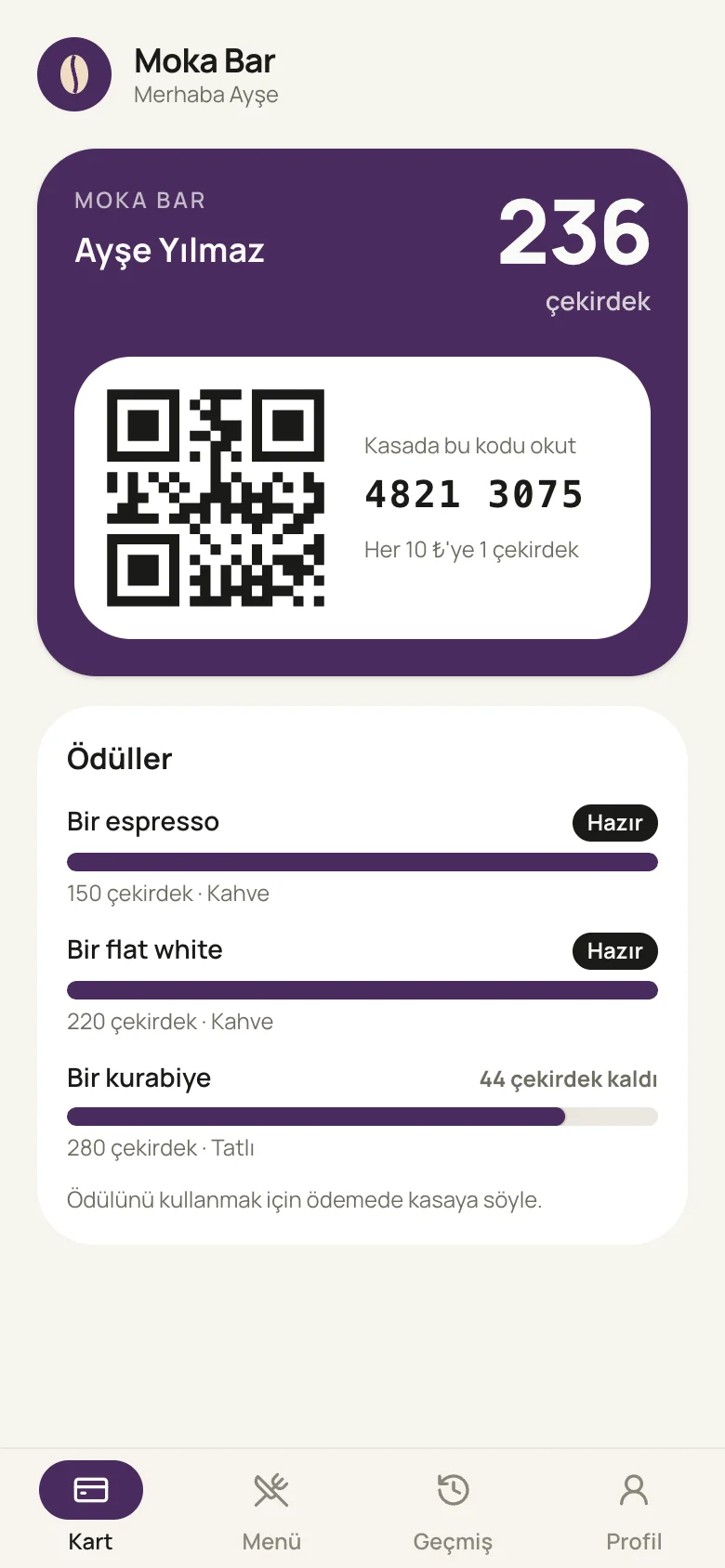
Moka Bar
collects beans
Same app, three sample businesses. At setup, we add your logo, colours, points name and rewards for you.
Four steps for the guest, all on their phone.
They scan the QR on the table or at the till and join in a minute. After that, they show their phone on every visit. Points add up, and the reward appears on their card when it's ready.
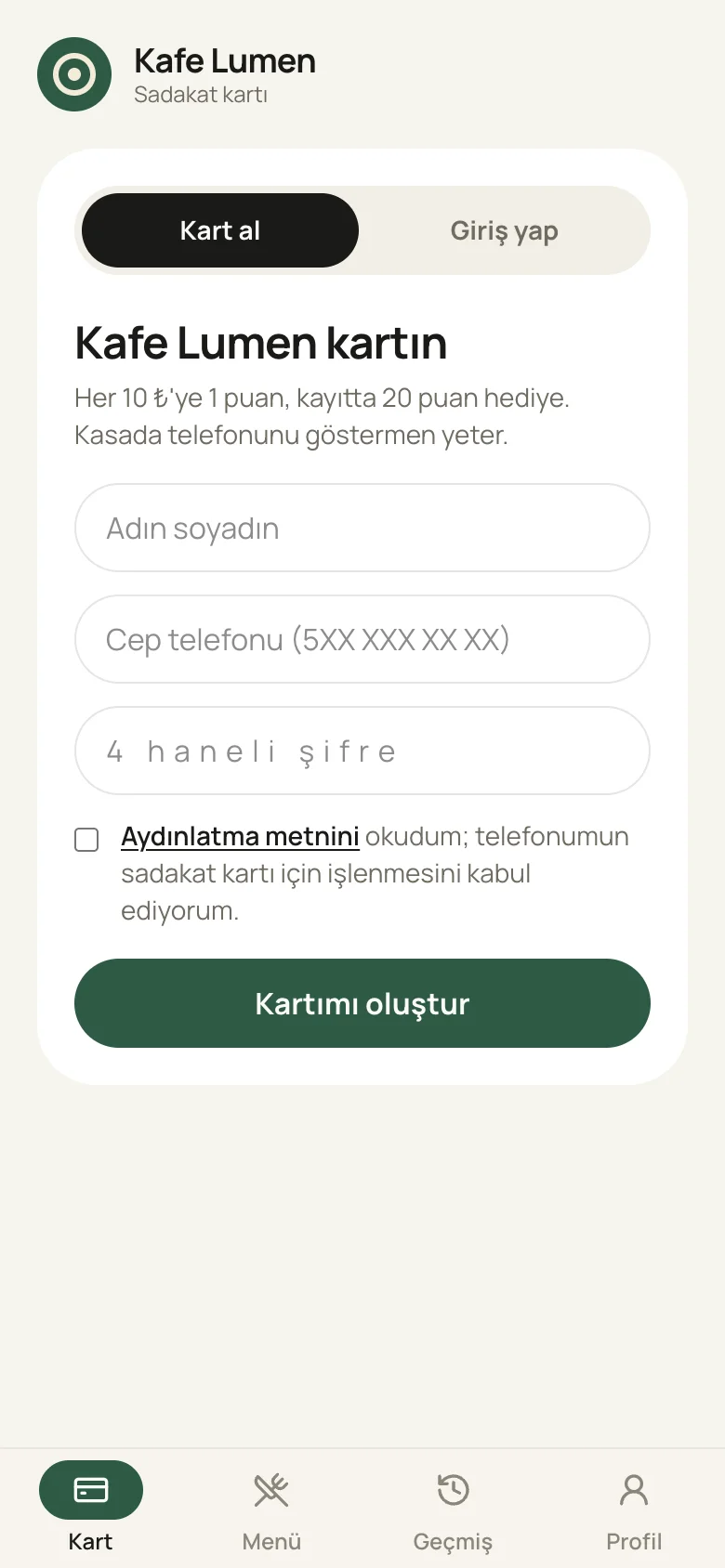
Scans the QR and joins
The QR on the table or at the till. Name, phone and a 4-digit PIN, with 20 bonus points for signing up.
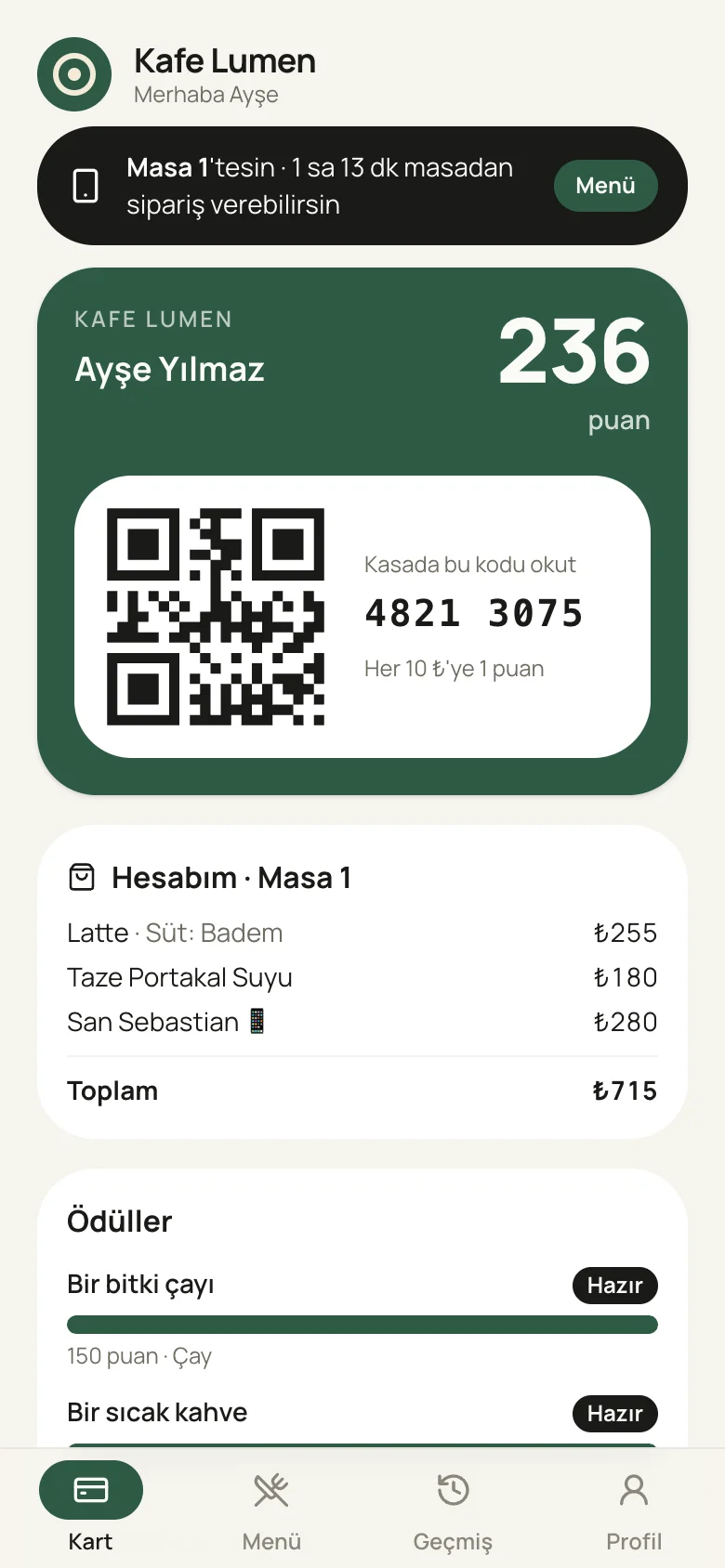
Shows their phone at the till
The QR and an 8-digit code sit on the card. They can see the bill for their table on the phone too.
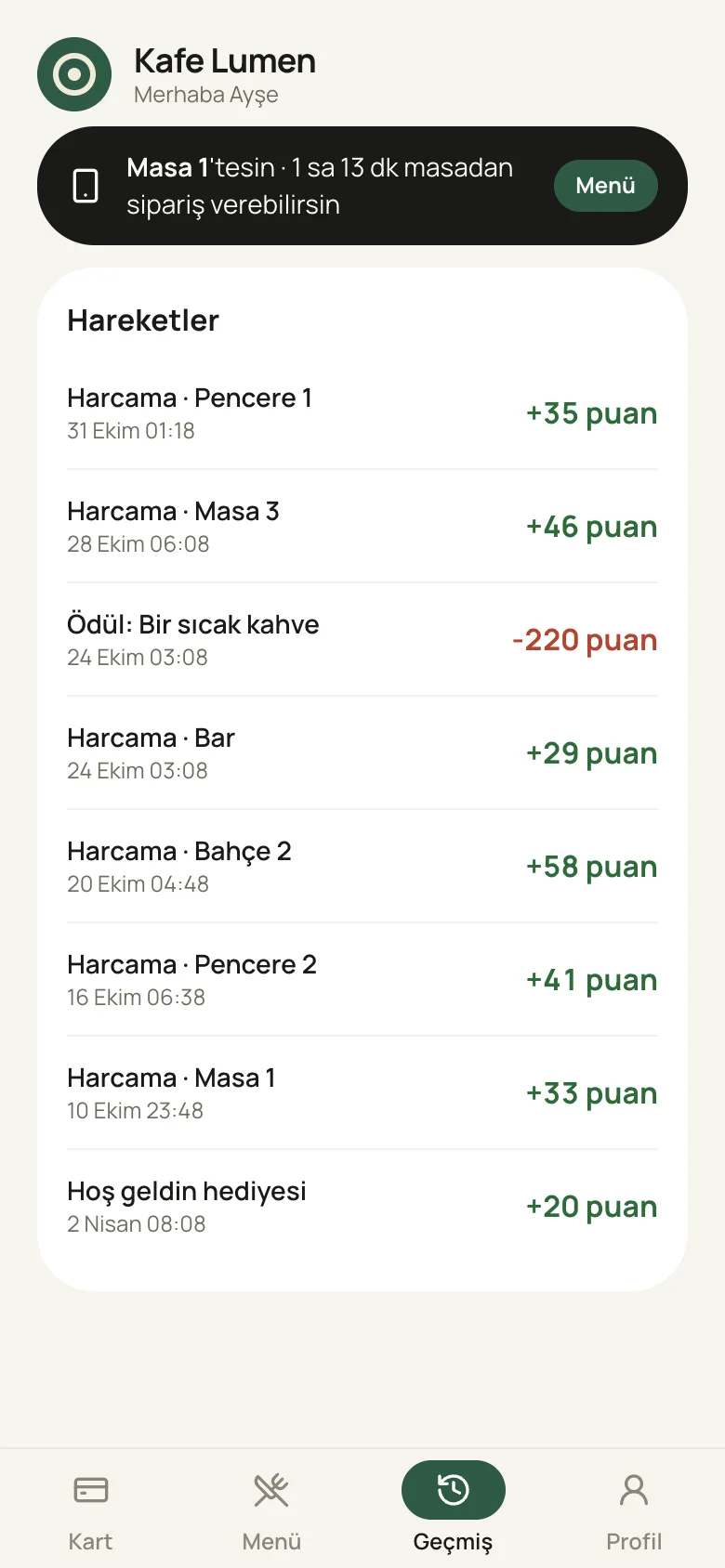
Points add up
Every purchase and every reward, with dates. Guests know what they earned, and when.
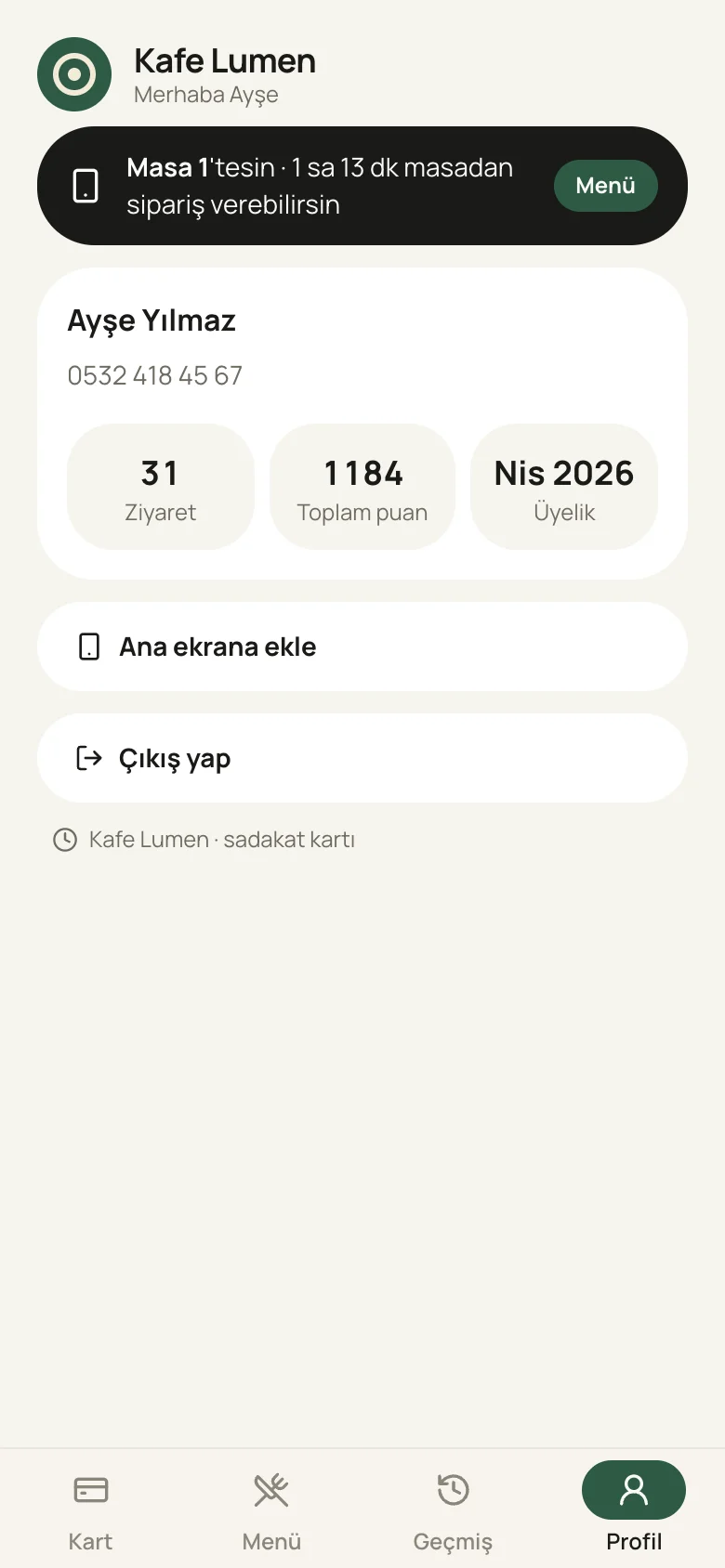
Your icon on their home screen
“Add to Home Screen” makes it open like an app, with your logo on the icon.
Rewards show themselves
When there are enough points, the reward shows as “Ready” on the guest's card; for the rest it says “44 points to go”. The reason to come back sits right there on their phone.
Points land instantly
The moment the cashier takes payment, the points appear on the card. Guests see what they earned before they leave the table.
Your rules
How much spend earns a point, the welcome gift, the reward names and what the points are called: points, stars, beans. We set it all up to fit your brand.
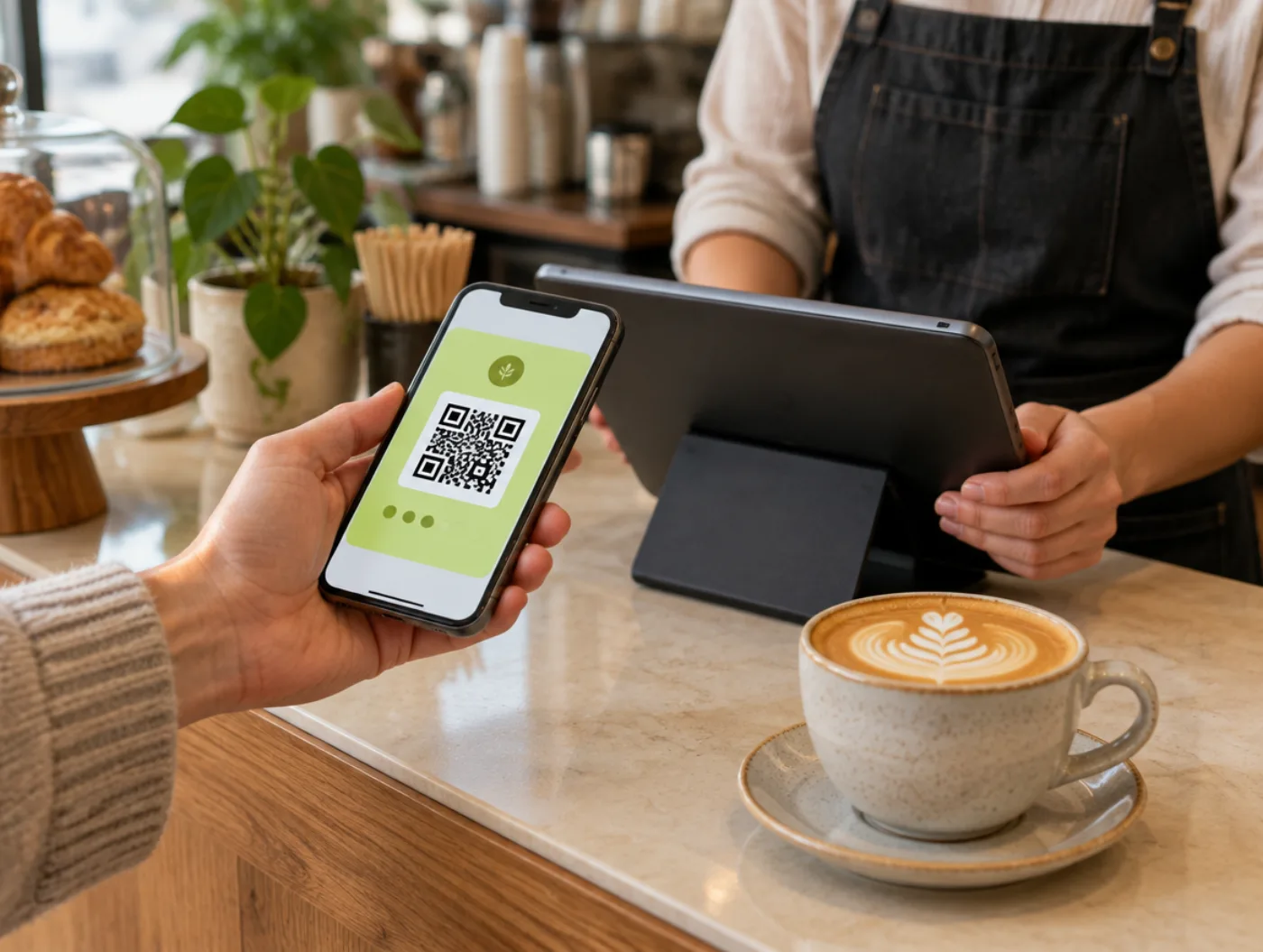
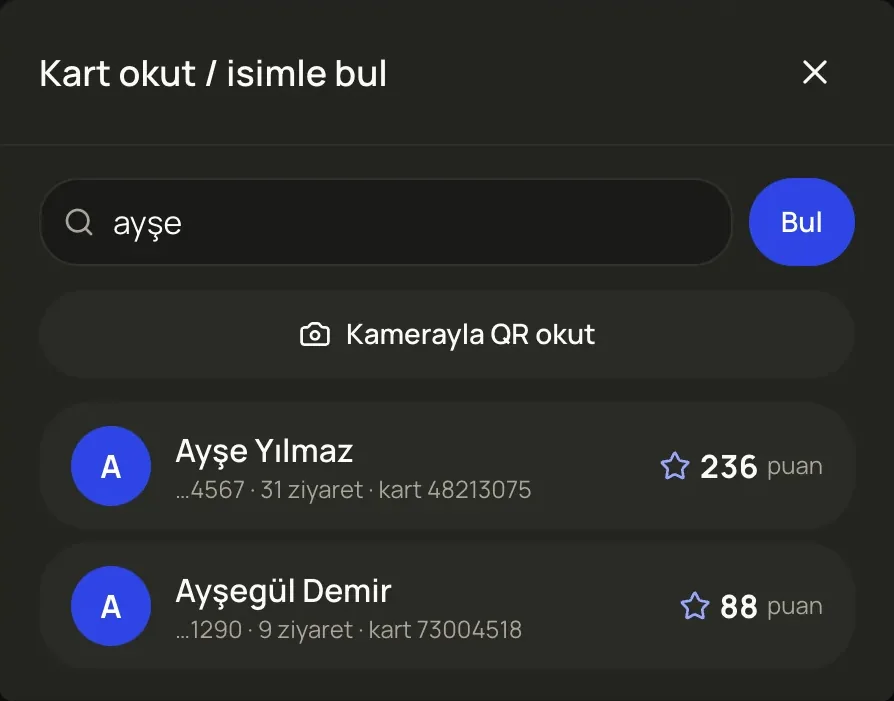
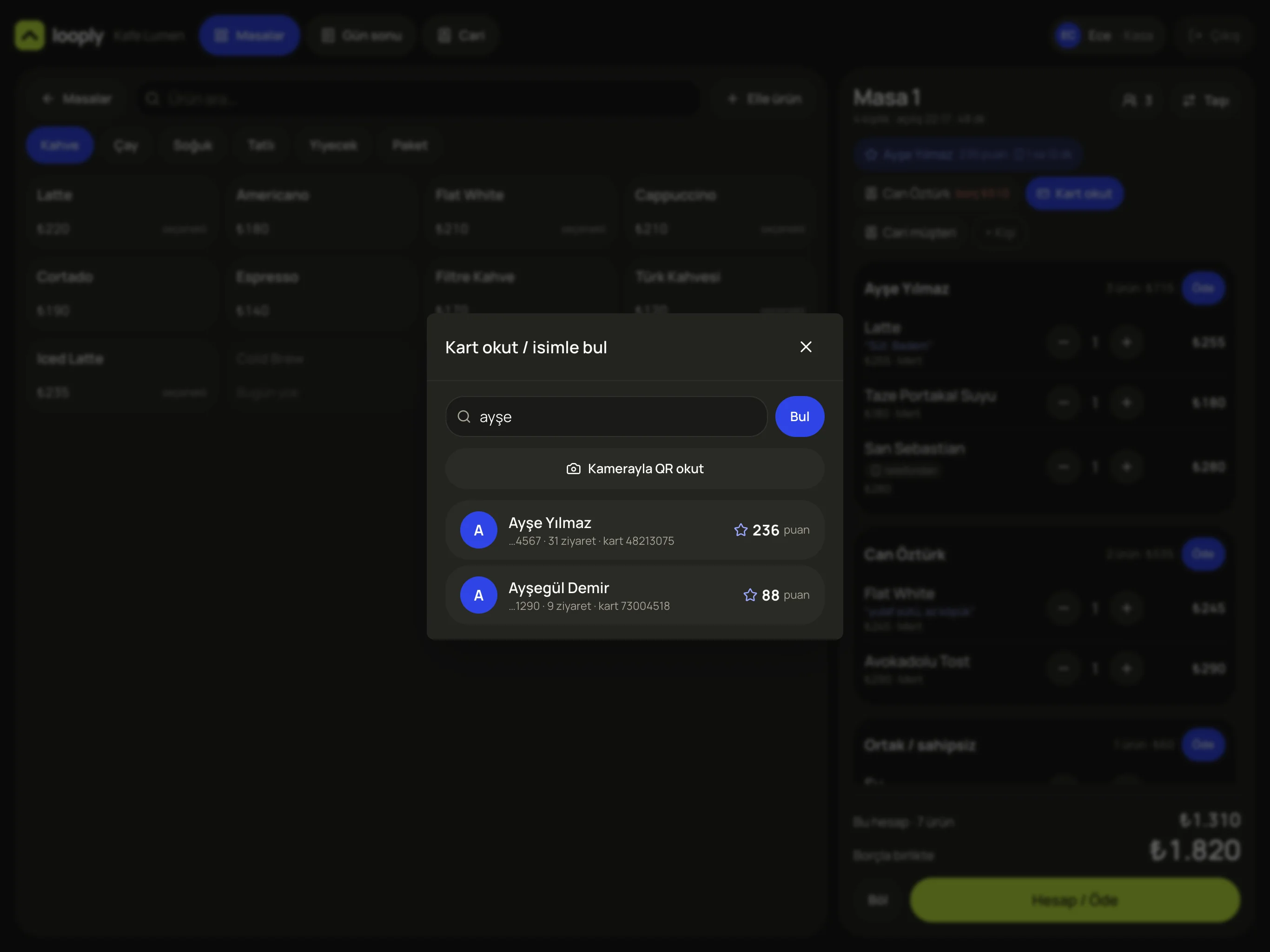
The cashier scans the QR or finds the guest by name. Visit count and points show right away.
What it does
Set up a loyalty programme that brings guests back and carries your name, without printing cards or building an app. Know who comes, and how often.
How it works
- 1The guest scans the QR and enters their name, phone and 4-digit PIN. They get bonus points for signing up.
- 2At every payment the cashier scans the card; in the example, 1 point per ₺10. Points show on the phone instantly.
- 3When there are enough points, the reward shows as “Ready” on the guest's card and comes up automatically at payment.
What you get
- Know your regulars by name: 31 visits, 1,184 points in total.
- Every bill with a card connects to the next morning's survey, so feedback lands on a person and a tab.
- Your own branded app, with no app store, design or development costs.
No waiting for a server, the second coffee comes by phone.
Once the card is scanned to the table, the guest can browse the menu and order from their own phone for a while. The order lands on that table's bill at the till.

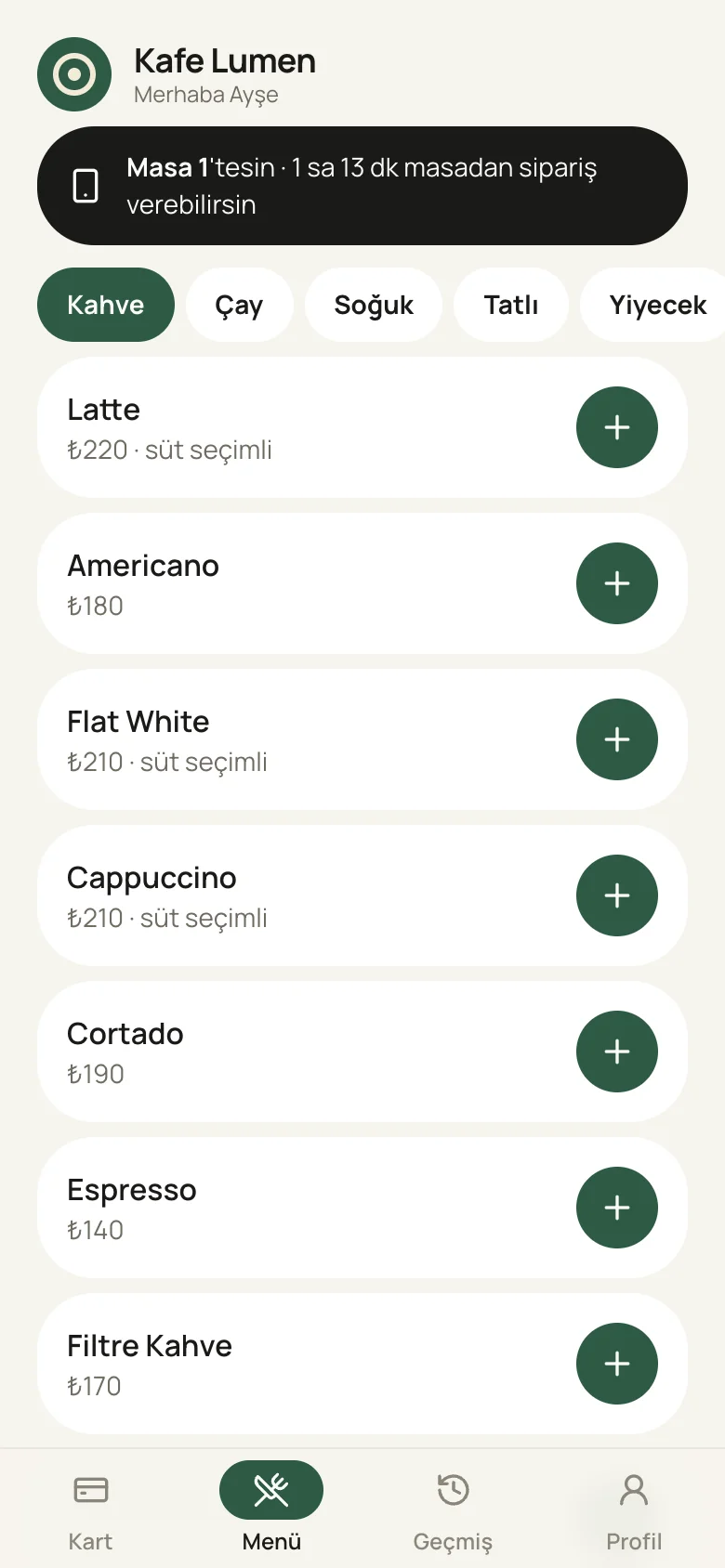

When an order comes in from a phone, “2 new” appears above the floor plan.

The item lands on the tab with its tag; the cashier confirms it and it goes to the kitchen.
What it does
Take extra orders at busy times without guests waiting for a server. Guests see the menu, with prices, on their phone.
How it works
- 1The guest has their card scanned to the table, and their phone shows “You're at Table 1”.
- 2They pick an item from the menu, choose any options and send it.
- 3An alert appears on the floor plan at the till, and the item is added to that table's bill.
What you get
- Second orders don't get lost at busy times.
- Less load on servers, and no orders written down wrong.
- Orders placed by phone count toward the card's points too.
The journey of a bill, in real screens.
A table opens, the order goes in, the card is scanned, payment is taken, the day closes. Cashiers work with these five screens on a tablet, and it's the same on phone and computer.
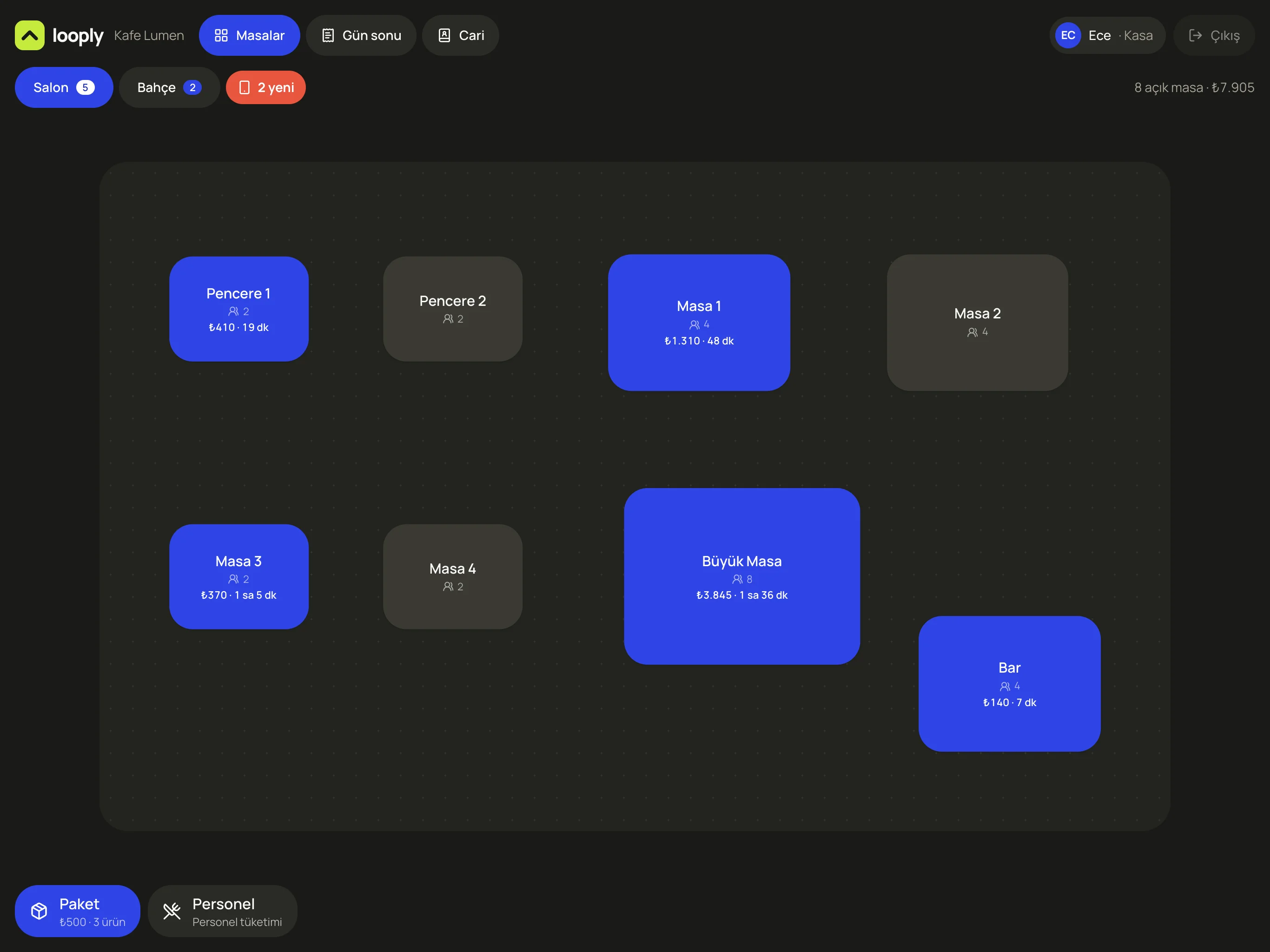
The floor opens
The floor plan is drawn to match your venue. Occupied tables light up blue, with the amount and time on them. When an order comes in from a phone, “2 new” appears at the top.
Three people, one table, three separate bills.
The tab is kept person by person. What the guest ordered from their phone, their loyalty card and any old balance all sit on the same screen.
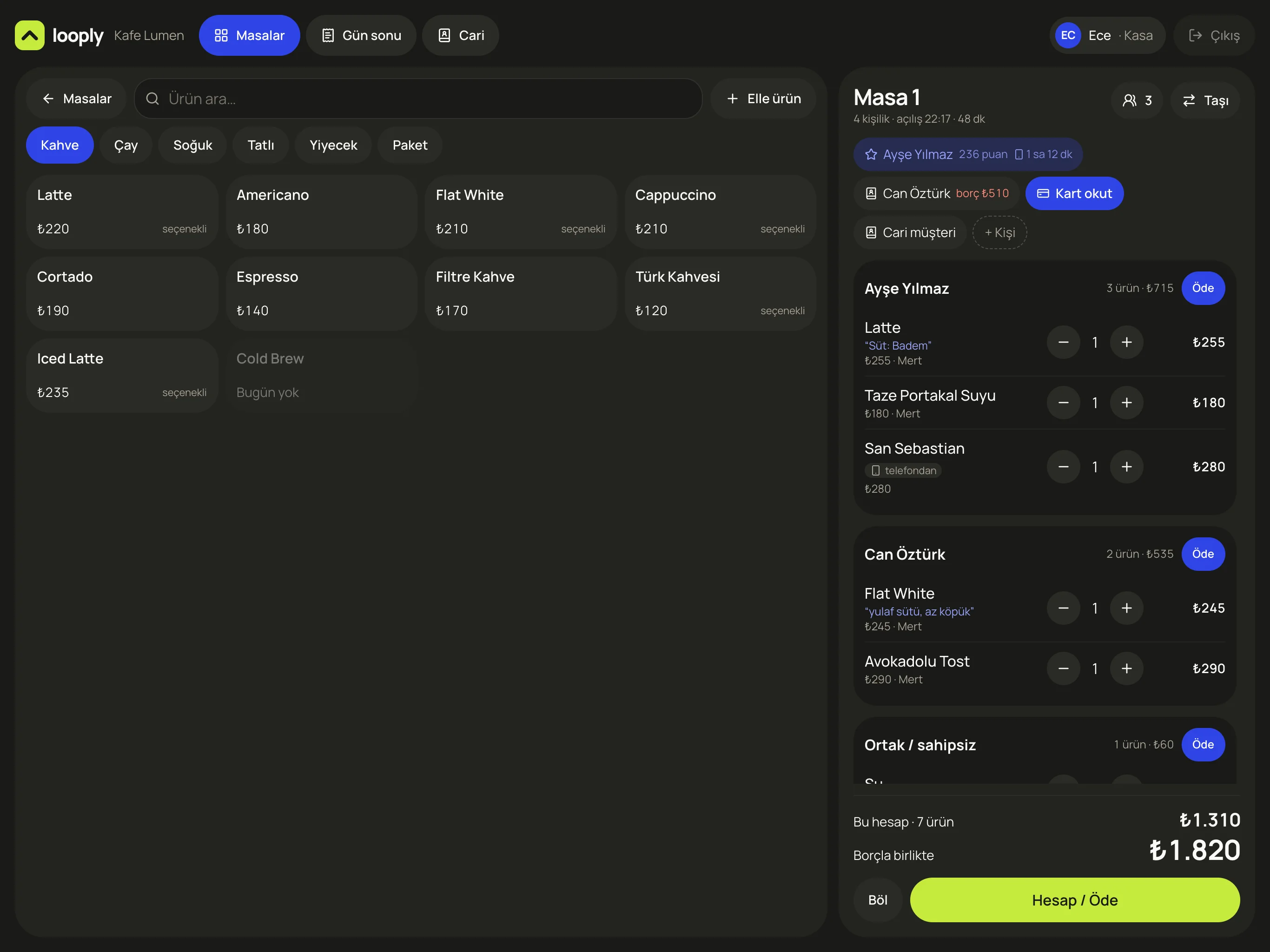
- 1Categories and items; items you're out of today appear faded
- 2Guest count and moving tables
- 3Loyalty card linked to the table: Ayşe Yılmaz, 236 points
- 4A house-account guest's previous balance: Can Öztürk ₺510
- 5Everyone's bill is separate; “Pay” lets one person pay on their own
- 6An order the guest placed from their phone
- 7Total including the previous balance, “Split” and “Bill / Pay”
What it does
Take orders at a busy table without mixing up who had what. No working out “who pays for what” at the end.
How it works
- 1Tap a table and a bill opens. Enter the guest count.
- 2Tap an item and choose who it belongs to. Notes and options (almond milk, light foam) go under the item.
- 3If the party moves, “Move” takes the bill, the guests and any phone orders along together.
What you get
- No mistakes or arguments when splitting the bill.
- Even when servers change, it's clear who entered which item.
- A house-account guest's old balance is flagged at the table, so it doesn't get forgotten.
By person, by amount, with a reward or on account.
Select items in the payment window. Comps, rewards, tips and payment type, all on one screen. The points to be earned show before payment is taken.
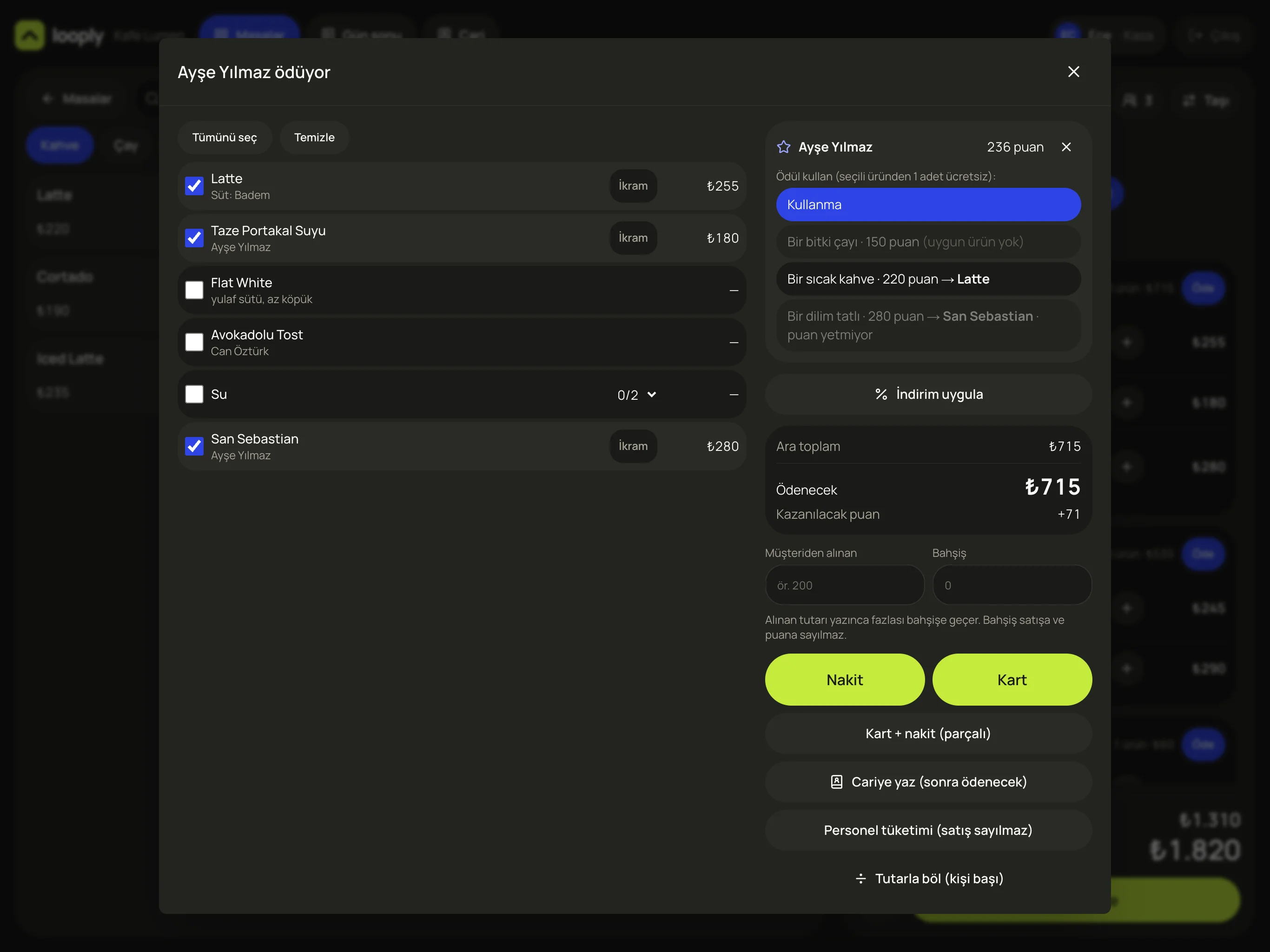
- 1Comps by item
- 2Shared items get divided: how many of the 2 waters are this person's
- 3Redeem reward: with enough points, the selected item is free
- 4Amount due and points to be earned
- 5Enter the amount received and the extra goes to tips
- 6Cash, card or split
- 7Put on account, or staff meal (not counted as a sale)
- 8Split by amount: an equal share per person
What it does
Take every kind of payment on one screen: by person, equal shares, split, or pay later. Loyalty points are processed with the payment.
How it works
- 1Hit “Pay” and that person's items come preselected. Add or remove whatever you need.
- 2If there are enough points, choose the reward. Comps and discounts need permission.
- 3Cash, card, split, put on account or staff meal. Anything over the amount due goes to tips.
What you get
- Tips don't mix with sales or points; they show separately at end of day.
- Comps and discounts are logged, and it's clear who applied them.
- Guests see their reward at the till automatically, so you don't need to ask.
The tab and the review meet in one record.
After every bill with a card, the guest gets a one-minute survey the next morning. The answer is tied to that tab, so the record tells you which dish, what time and which production batch the complaint was about.
- 1
Tab
Table 1 · Latte, Fresh Orange Juice, San Sebastian · ₺715
- 2
Loyalty card
Ayşe Yılmaz · 31st visit · +71 points
- 3
Survey
Next morning · NPS 4 · “the cake was stale”
- 4
Assistant
Third San Sebastian complaint, all three on the last day of its shelf life. Write the batch off one day earlier.
The survey and the assistant come from the geso panel. Both products run in the same account.
Credit and prepaid, no ledger needed.
The shop next door pays at month end; the office tops up in advance. Every balance is logged with the table and item it came from.
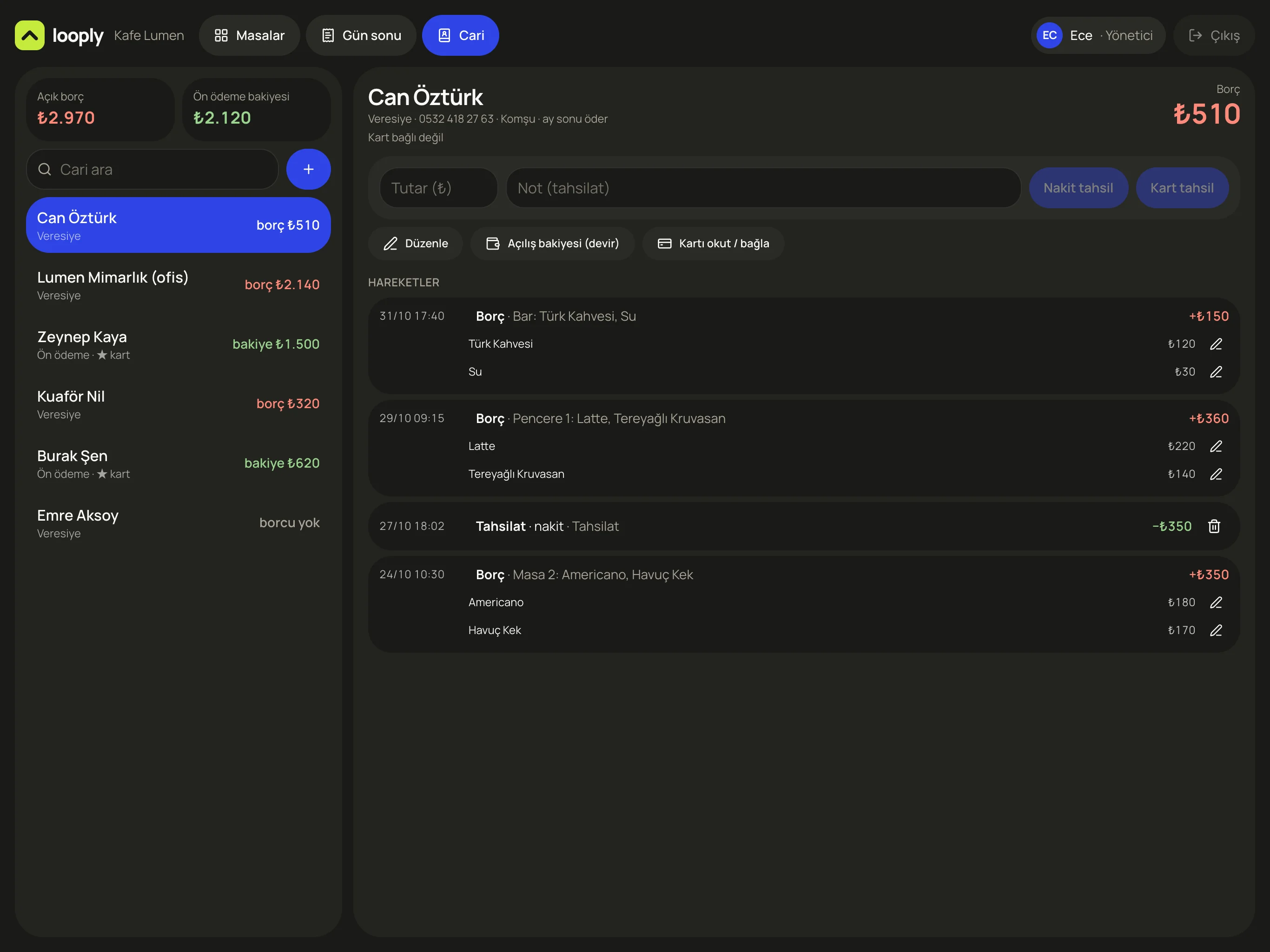
- 1Total open balance and prepaid balance
- 2Credit and prepaid customers
- 3Collect by cash or card
- 4Link a loyalty card to the account
- 5Activity: which table, which item, how much
What it does
Keep track of credit and prepaid customers without a paper ledger. See who owes how much on one screen.
How it works
- 1At payment, hit “Put on account” and the bill goes onto the customer's account as a balance.
- 2When the customer sits down, their old balance shows on the tab, and they can settle it in one payment if they like.
- 3Collect by cash or card from the accounts screen. Prepaid balances go down as they're spent.
What you get
- No forgotten balances: in the example, ₺2,970 open in total.
- Anything put on account only counts as a sale once it's collected, so end of day comes out right.
- If a customer disputes it, you can show which day and which item.
Are the pastries past their day? The till will tell you.
Items made daily are tracked by count and production date. A batch past its shelf life shows up as an alert at the till, and so does a table left open since yesterday.
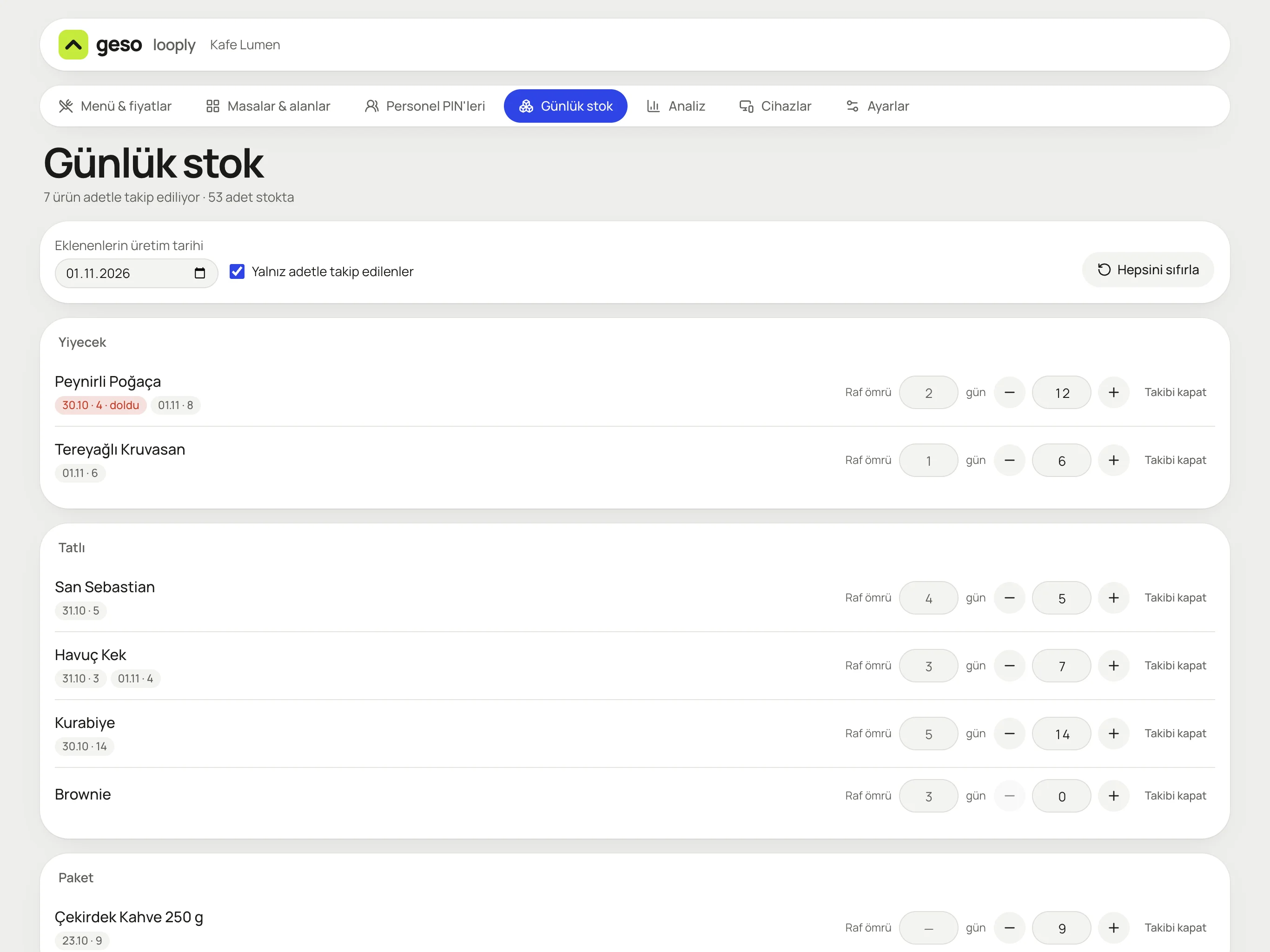
- 1Production date: units you add go to this batch
- 2Batch label: the 4 pastries made on 30 Oct have expired
- 3Item shelf life (days)
- 4Stock count drops as items sell; sold-out items show as “Out today” at the till
- 5Management: menu, tables, staff PINs, stock, analytics, devices

“Shelf life expired: Cheese pastry (4). Write off as waste?” and “A table has been open since yesterday: Garden 4.”
What it does
Stop stale items reaching guests, and know in numbers what goes in the bin. Sold-out items automatically show as “Out today” at the till.
How it works
- 1In management, enter the item's shelf life and how many you made this morning. The count goes to that day's batch.
- 2Stock drops as items sell, oldest batch first.
- 3When shelf life runs out, the till asks “Write off as waste?”, and the waste is logged with a reason.
What you get
- Fewer stale-item complaints, and the assistant can match a complaint to the batch date.
- See the value of waste at month end: ₺4,710 in the example.
- Tables left open at closing don't get forgotten; the till reminds you the next day.

When the day ends,
so does the till.
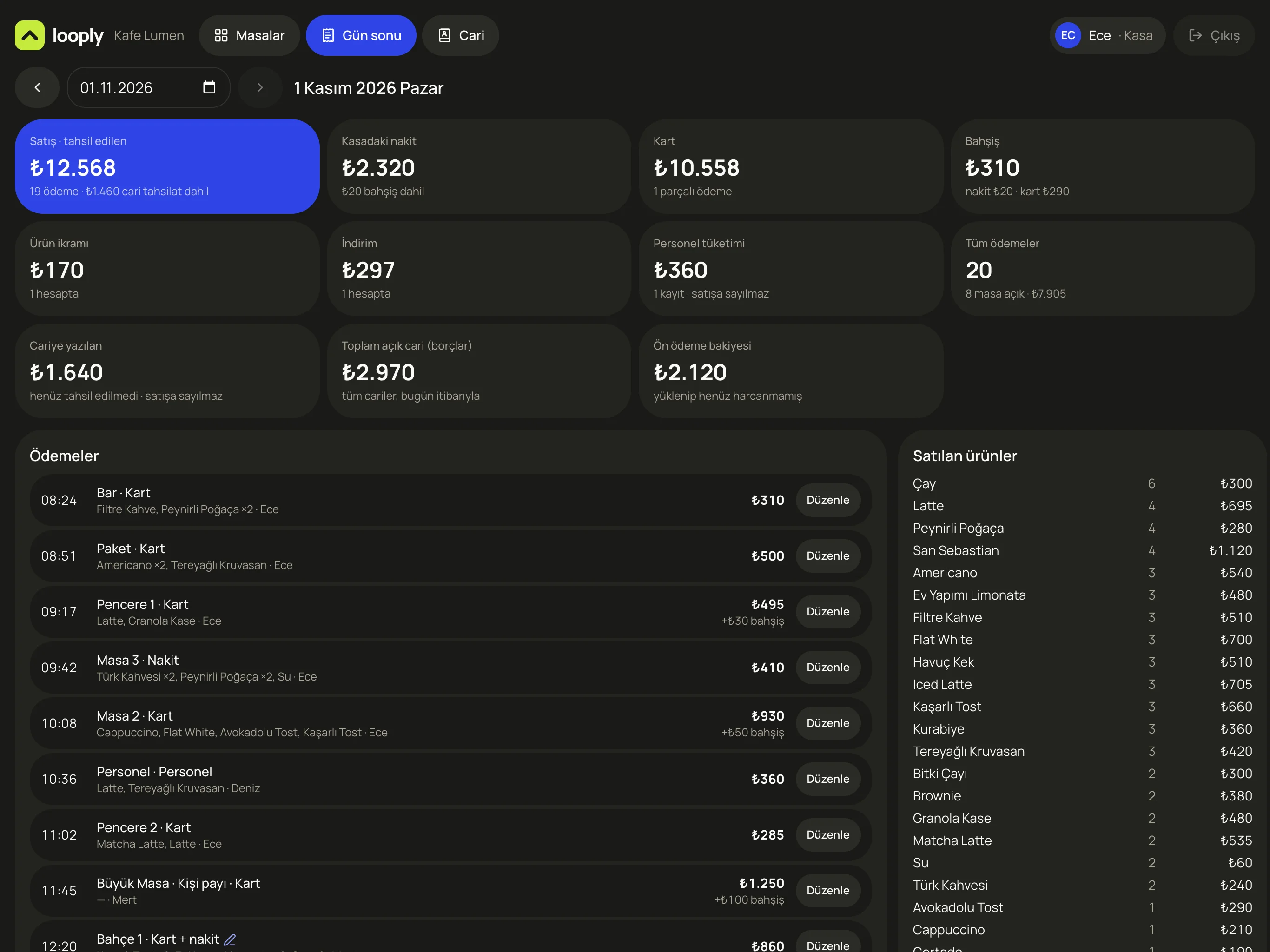
The end-of-day screen gives you sales, cash, card and tips separately. Comps, discounts, staff meals and house accounts each get their own box. Count the till and check it against the screen.
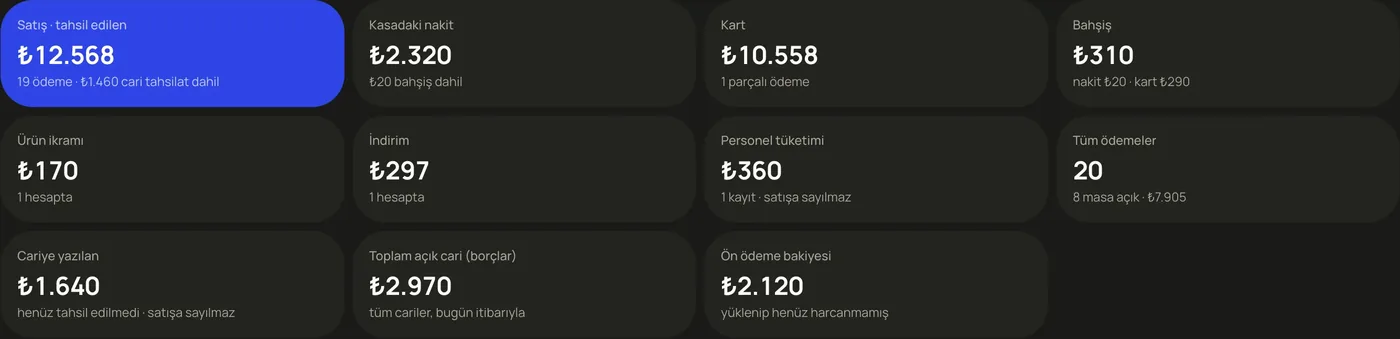
Sales ₺12,568, cash in the till ₺2,320, card ₺10,558, tips ₺310. The ₺1,640 put on account doesn't count as sales.
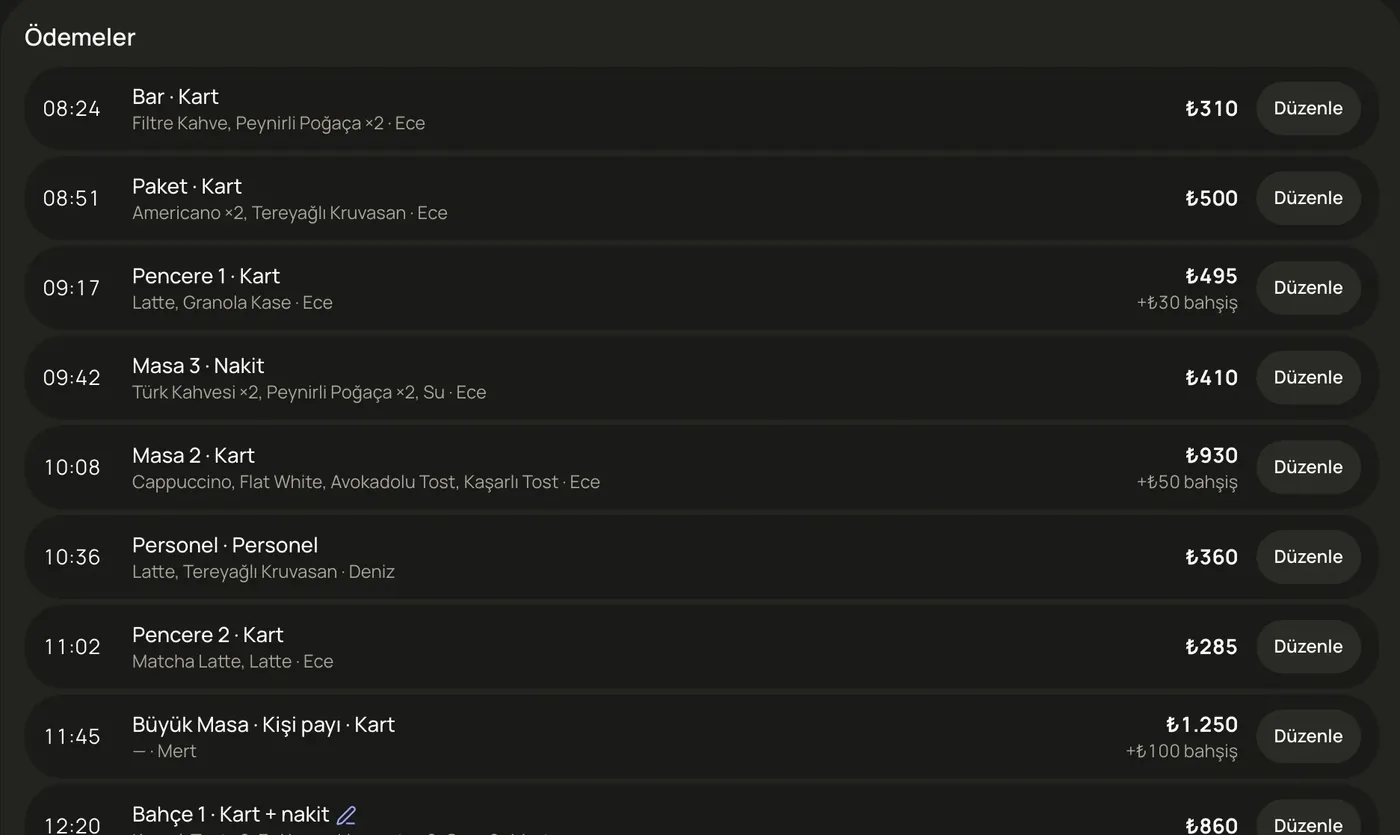
Table, payment type, items and cashier. A payment entered wrong gets fixed with “Edit”, and the trail stays.
What it does
Close the till in minutes at closing time. If you're over or short, find which payment it came from.
How it works
- 1Open the End of day tab. The date is today, and you can look back at past days too.
- 2Boxes come split into sales, cash, card, tips, comps and house accounts.
- 3Payments and items sold are listed below, and you can fix a wrong entry.
What you get
- Till differences get explained by records, not guesses.
- Tips and staff meals don't inflate sales.
- See how many of each item you sold, every evening.
Which tables earn the most, and what does each guest spend?
Pick a date range and get revenue, number of bills, spend per guest and waste value. Below that: revenue, seating time and occupancy, table by table.
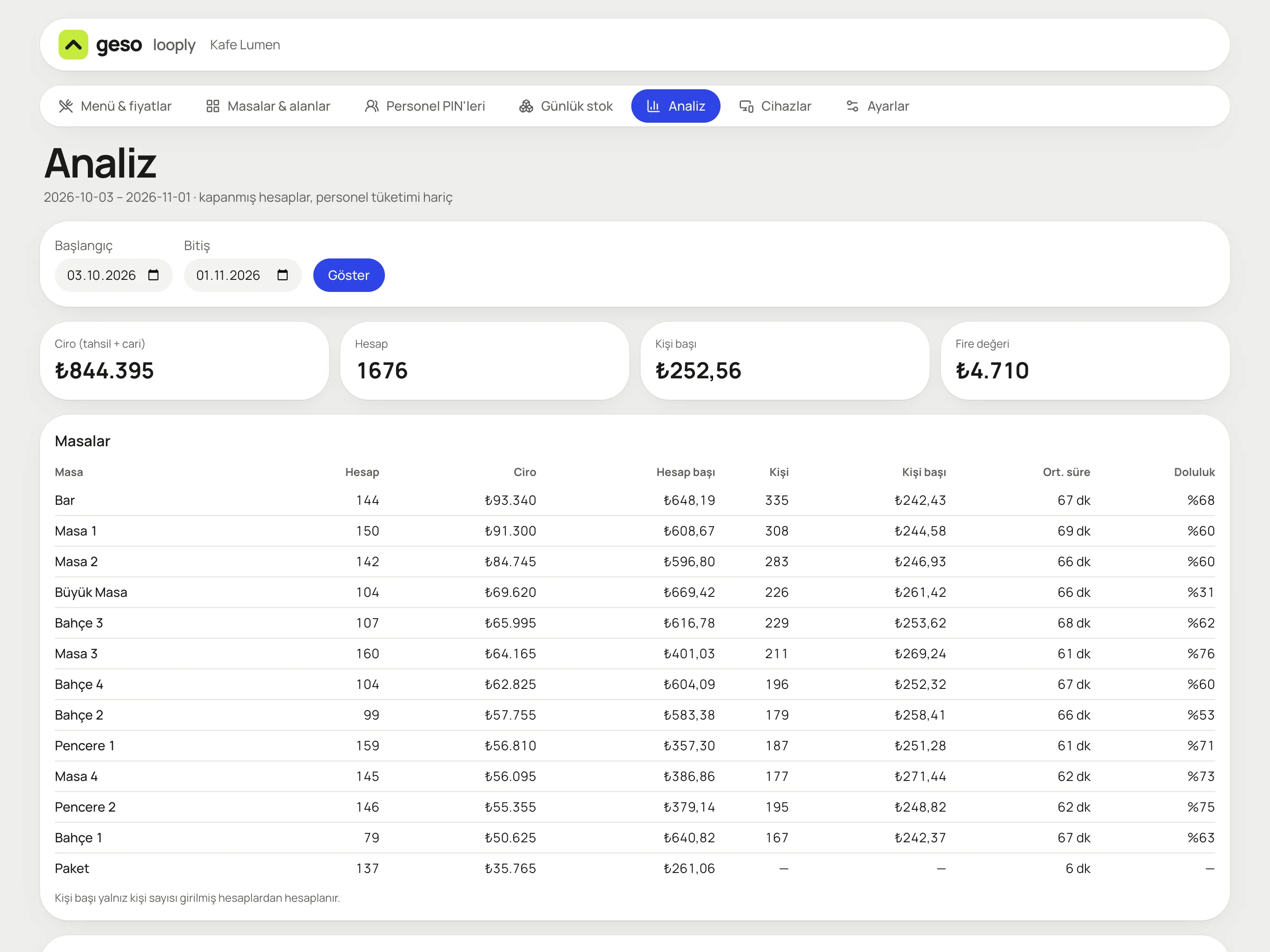
- 1Date range picker
- 2Revenue (collected and on account), number of bills, spend per guest
- 3Value of items thrown away this month
- 4Revenue and average bill, table by table
- 5Average seating time and occupancy
What it does
See your numbers without waiting for your accountant. Know which tables and which hours are working.
How it works
- 1Open “Analytics” in the management panel.
- 2Pick a start and end date and hit “Show”.
- 3Summary cards and the table breakdown appear. Staff meals are excluded.
What you get
- Track spend per guest and make menu and pricing decisions with numbers.
- Spot the tables or areas with low occupancy.
- See waste value side by side with revenue.
Small but important
Cashier PINs
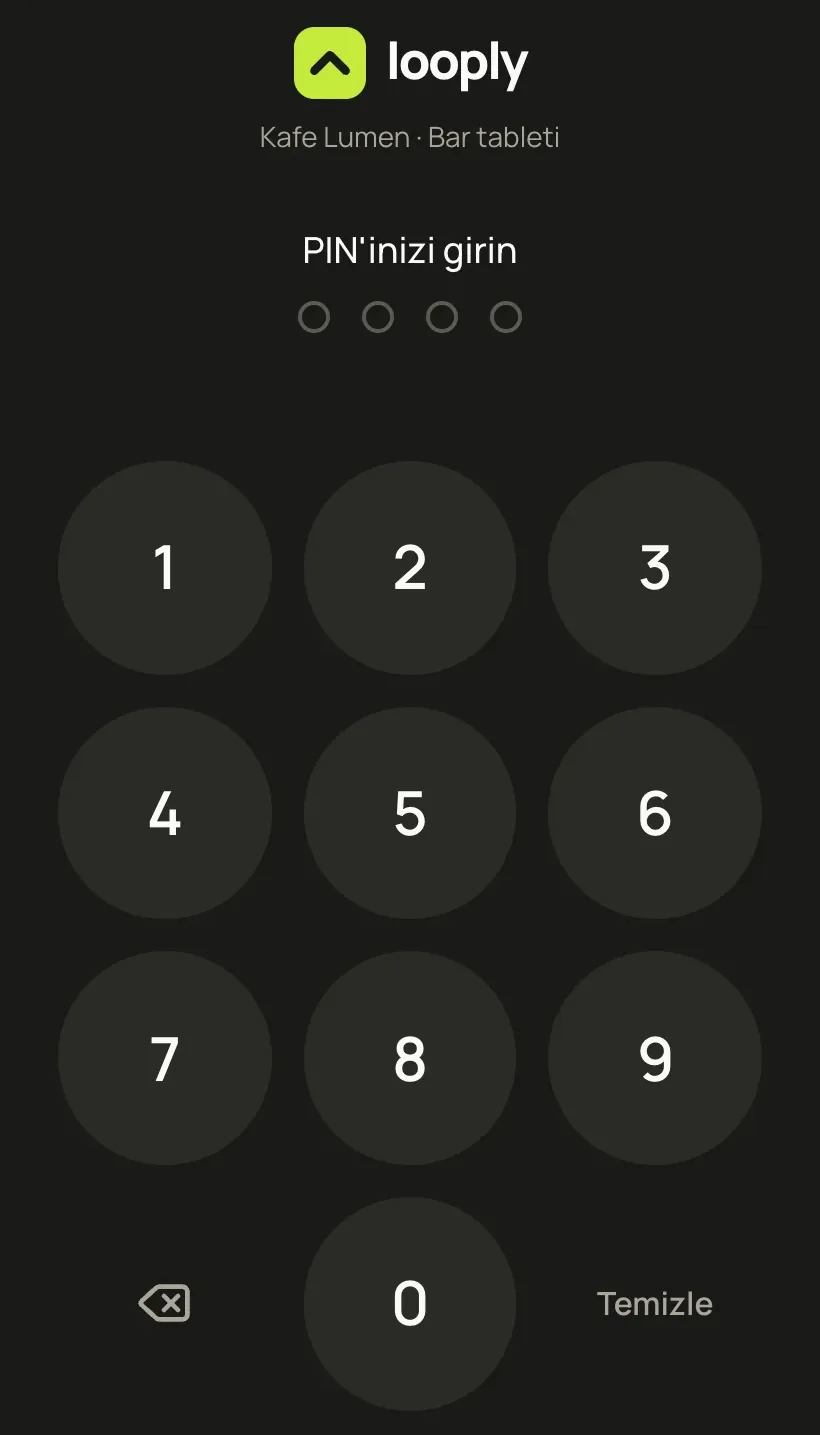
Every employee signs in with their own 4-digit PIN. Sales, comps and corrections are logged with who made them.
Correction trail
Every payment in the end-of-day view has an “Edit” button. Corrections, deletions and backdated entries need manager permission and are logged.
Staff meals and takeaway
What staff eat and drink doesn't mix with sales; it's counted separately. Takeaway orders open from “Takeaway” below the floor plan.
geso looply is a tab and loyalty system; it doesn't replace fiscal receipts. Fiscal receipts and e-archive invoices continue to be issued from your existing cash register or POS device. The businesses and people in the sample screens are fictional.
We're choosing
our first cafés.
We set it up together: your menu, your tables, your points name. geso looply runs in the same account as your geso panel.
- Menu and prices from you, setup from us
- Your floor plan, drawn to match your venue
- A short training for your team at the till