AI plan
The plan is written from real complaints and scores.
The assistant reads negative topics, low criteria and recent complaints, then writes tasks with owners and due dates. Edit the plan, hand it out to the team and tick off what's done.
On every plan · Included in the trial
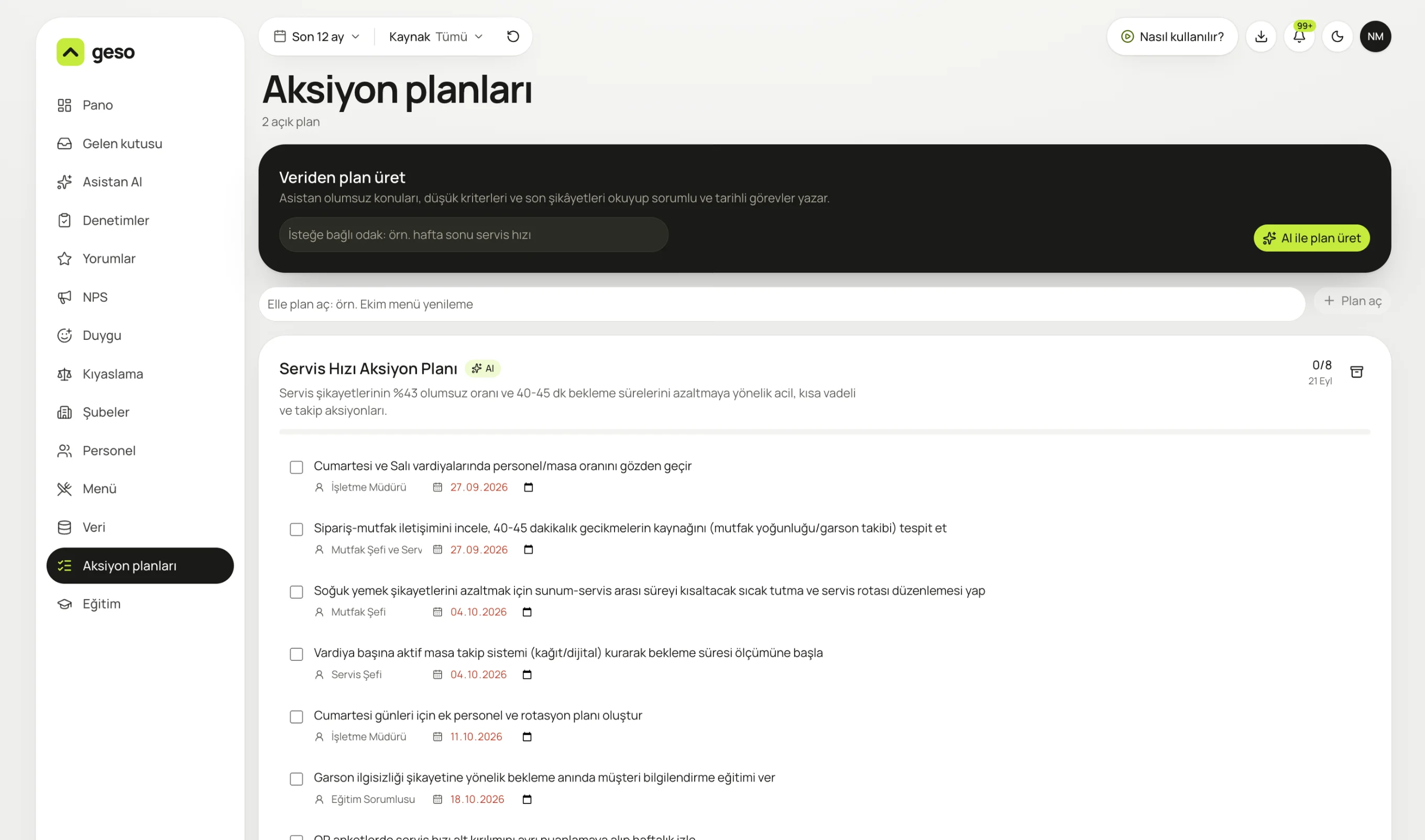
Real panel screen. The sample business “Nar Mutfak” and its data are for demo purposes.

The assistant reads negative topics, low criteria and recent complaints.
Turn the problems your reviews surface into tracked work that doesn't get forgotten. Who does what, by when: it's all on screen.
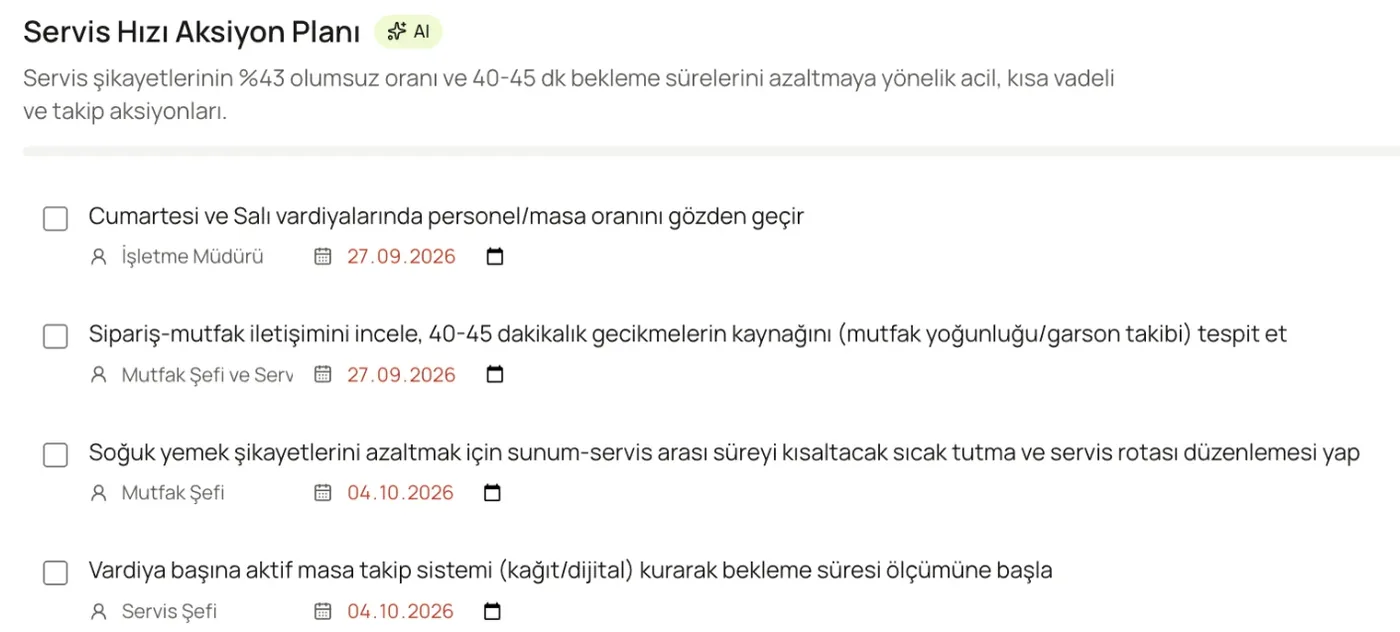
General manager, head chef, head of service: every task has an owner and a deadline.
The plan is written from real complaints and scores.
Open your own plans too, like “October menu refresh”.
The assistant's suggestion becomes a plan in one click with “Turn into a plan”.
Every task is tied to a person or role, and a date.
The number of completed tasks shows at the top of the plan.
Move finished plans to the archive. Past plans are kept.
No. You can open a plan by hand and write the tasks yourself.
Yes. Team members you invite to the panel see the plans and tick off their tasks.
All plans.
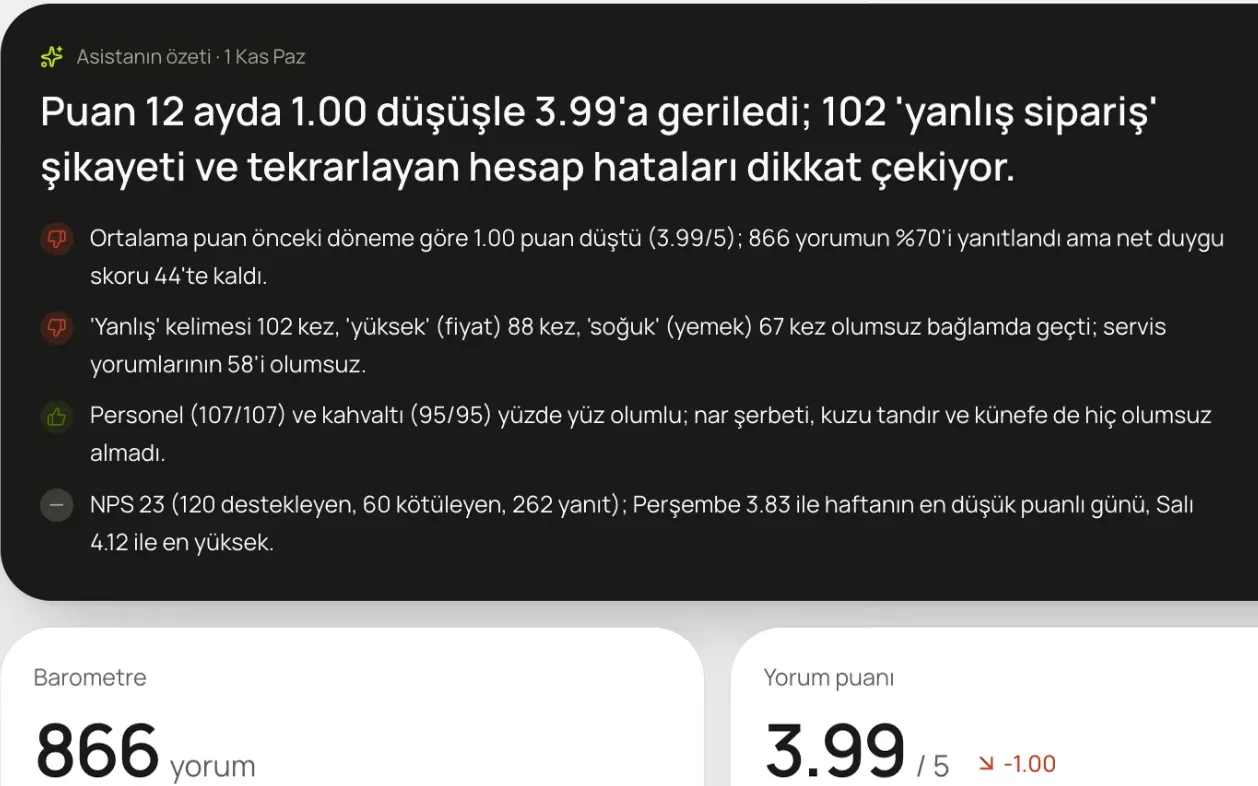
A summary on your dashboard every morning, plus the one thing to do this week. Ask it anything and it answers from your data.
Learn more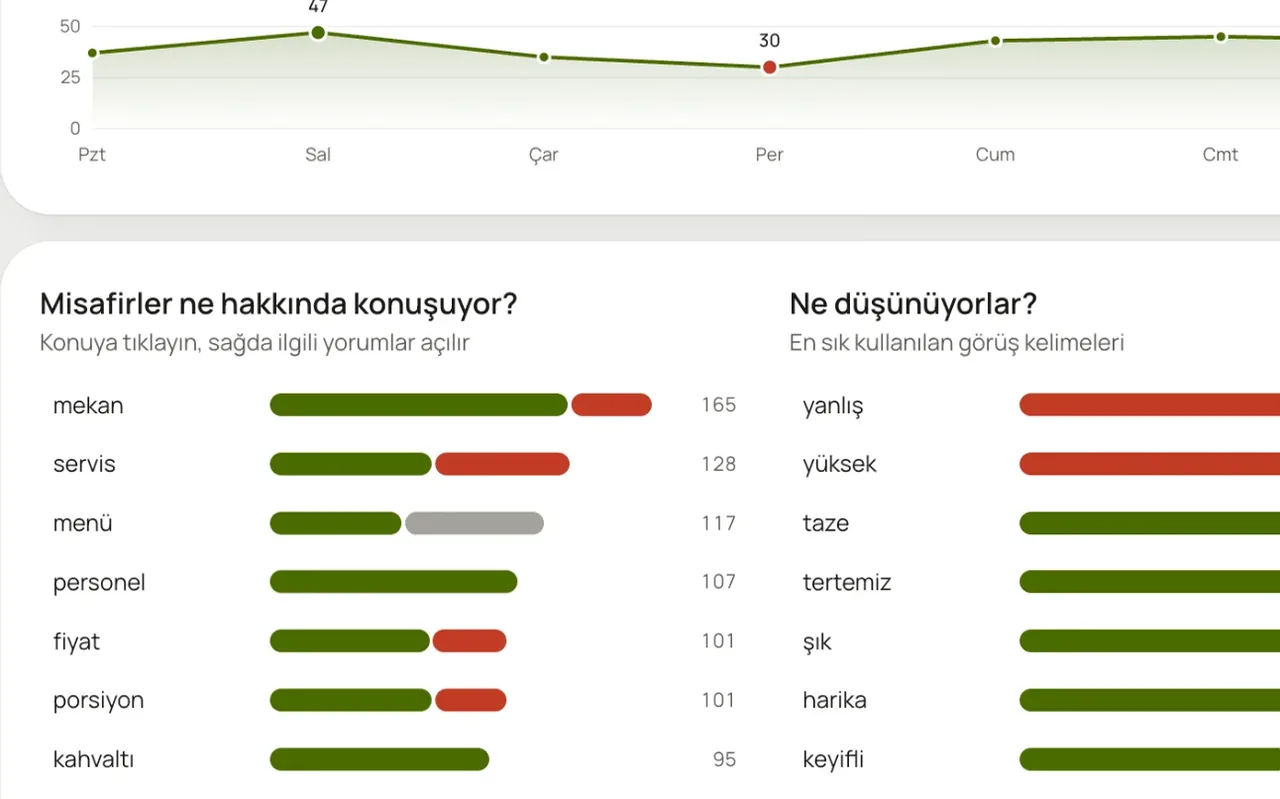
What are guests talking about, and is it good or bad? Topic by topic, day by day.
Learn more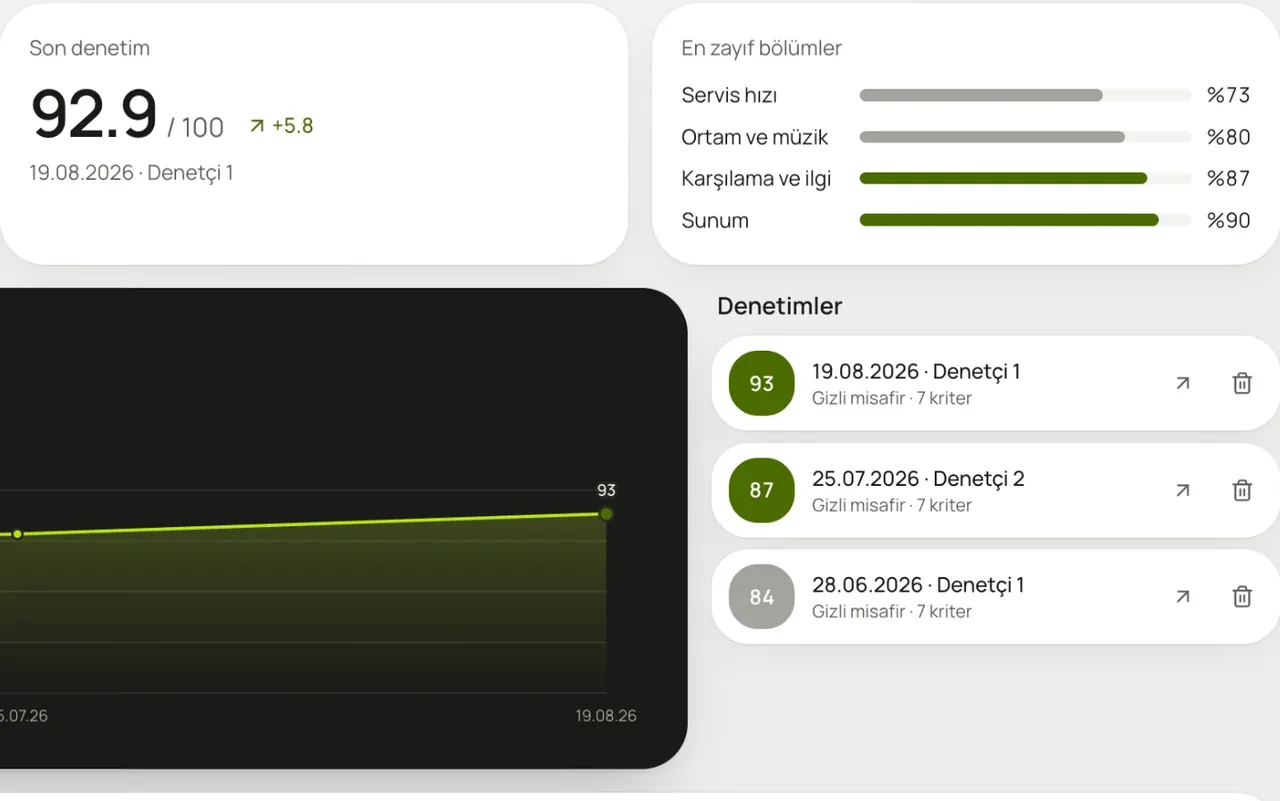
Assign an auditor and they fill in the form on their phone. The score and weakest section land on your dashboard.
Learn moreIn a 20-minute demo, we load your Google reviews and look at what the assistant says, together.
No card required · 10-minute setup · Cancel anytime