Low-rating alert
You set the threshold, and the email arrives instantly. WhatsApp alerts on Enterprise, subject to Meta approval.
A low-rated review triggers an email, your weekly report is in your inbox on Monday morning, and the team board runs on the kitchen screen. Download your data whenever you want.
On every plan · Included in the trial
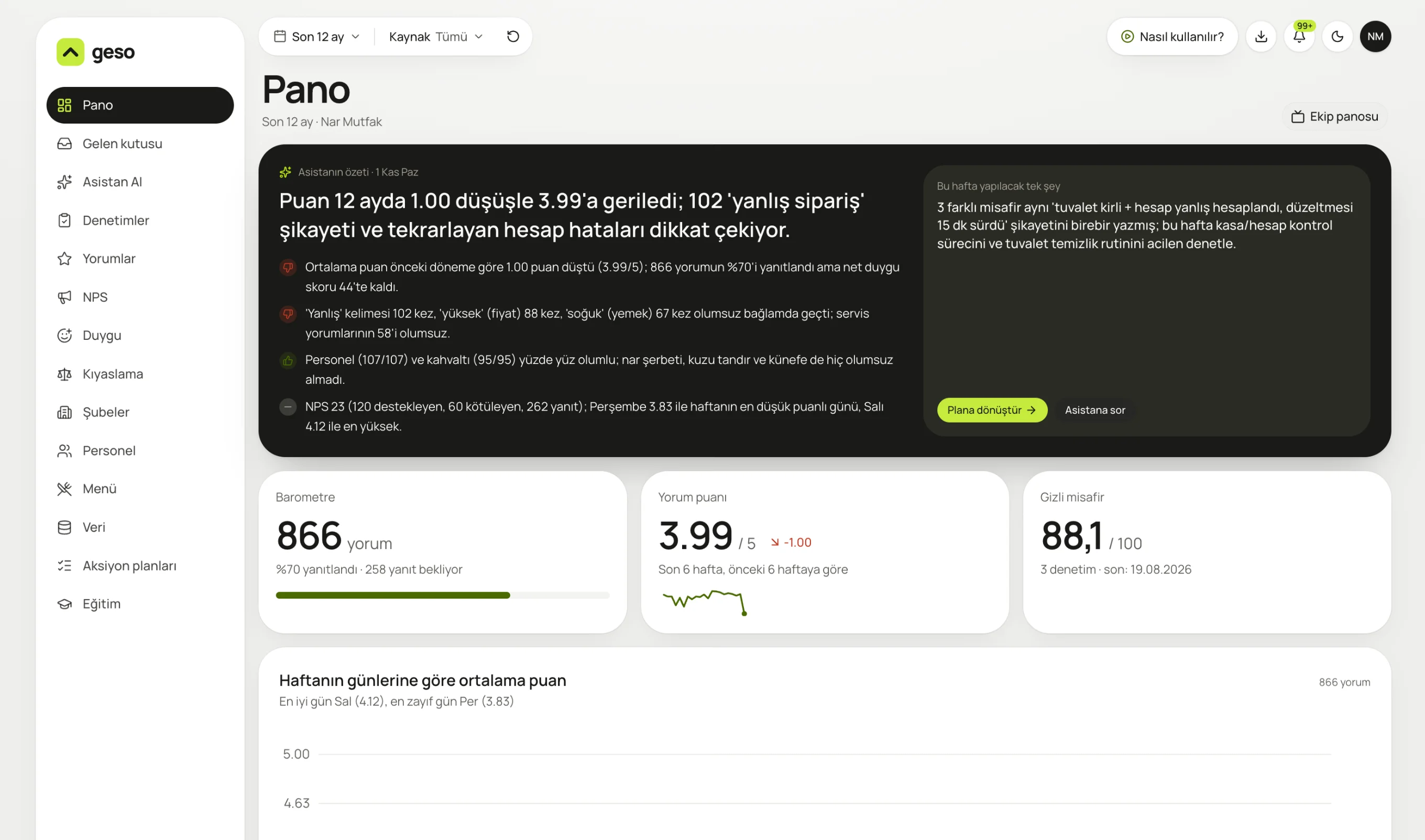
Real panel screen. The sample business “Nar Mutfak” and its data are for demo purposes.

Review count and response rate, review rating and trend, mystery guest score.
Hear about anything important without opening the panel. Your team sees the rating and guest reviews on the kitchen screen too.
From the top right, download your data, turn on notifications and launch the team board.
You set the threshold, and the email arrives instantly. WhatsApp alerts on Enterprise, subject to Meta approval.
Monday morning: numbers, topics, an AI summary and the suggested task.
Rating and NPS on the kitchen or office screen, refreshed regularly.
Your tables are yours, with filters and export.
A short “How to use it” video on every screen.
Who gets which alert, person by person.
On the Enterprise plan, once Meta business approval is complete. Email alerts are on every plan.
Yes. You can download reviews, surveys and audits as CSV; for other data, write to us.
Any screen with a browser. Open it with the “Team board” button on the dashboard.
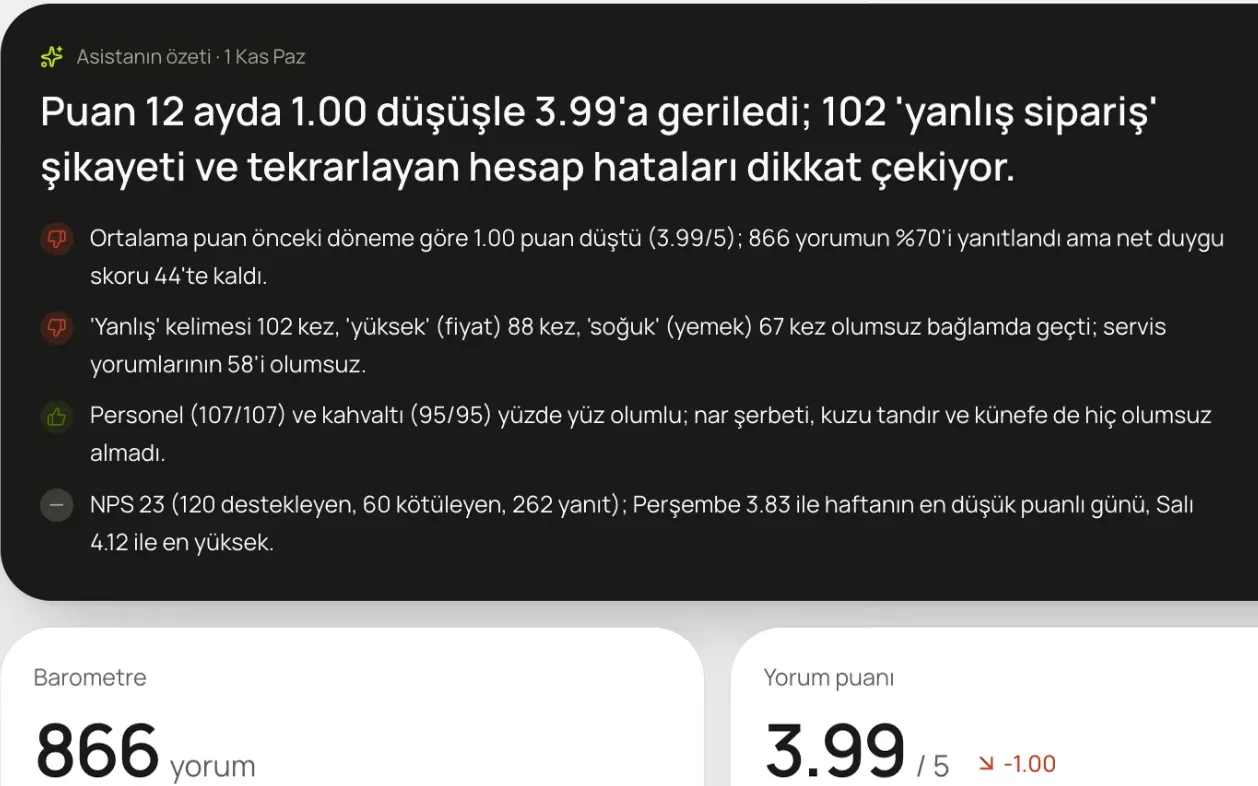
A summary on your dashboard every morning, plus the one thing to do this week. Ask it anything and it answers from your data.
Learn more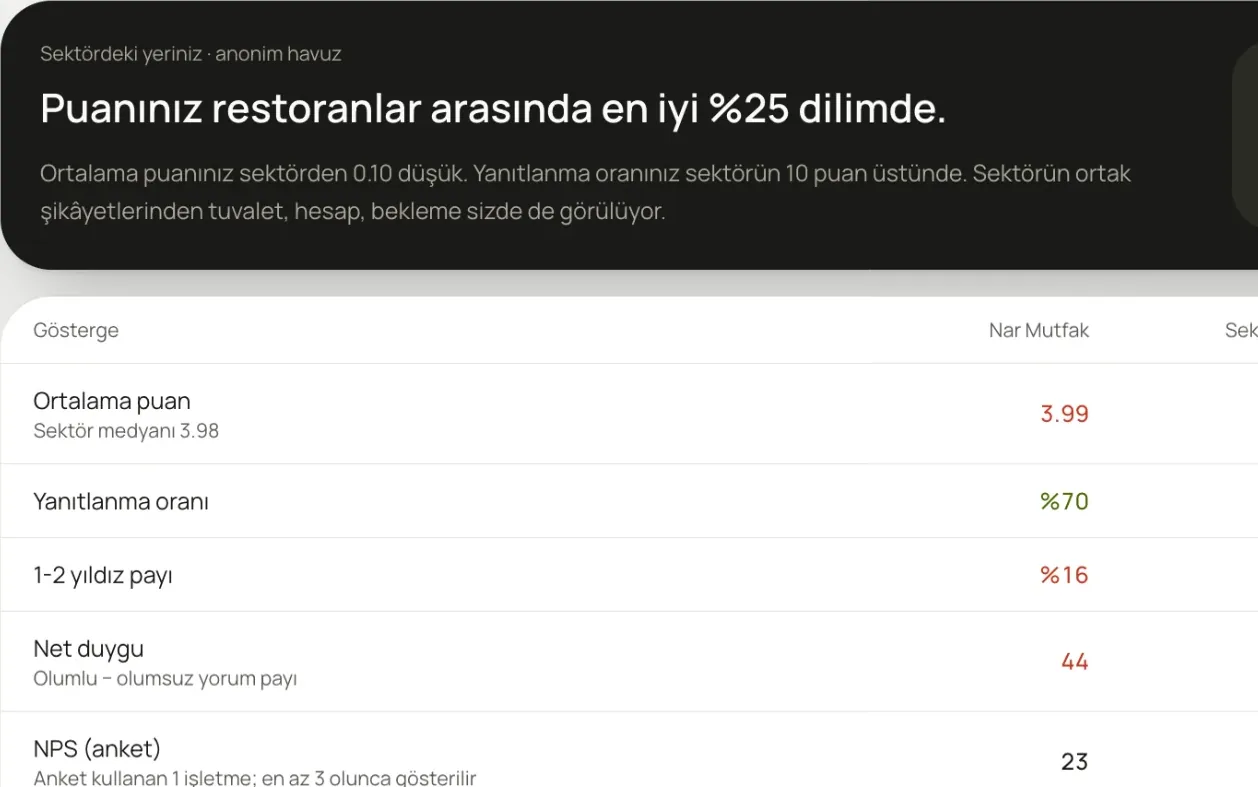
Where does your rating sit among similar businesses? Is the industry's common complaint showing up at yours?
Learn more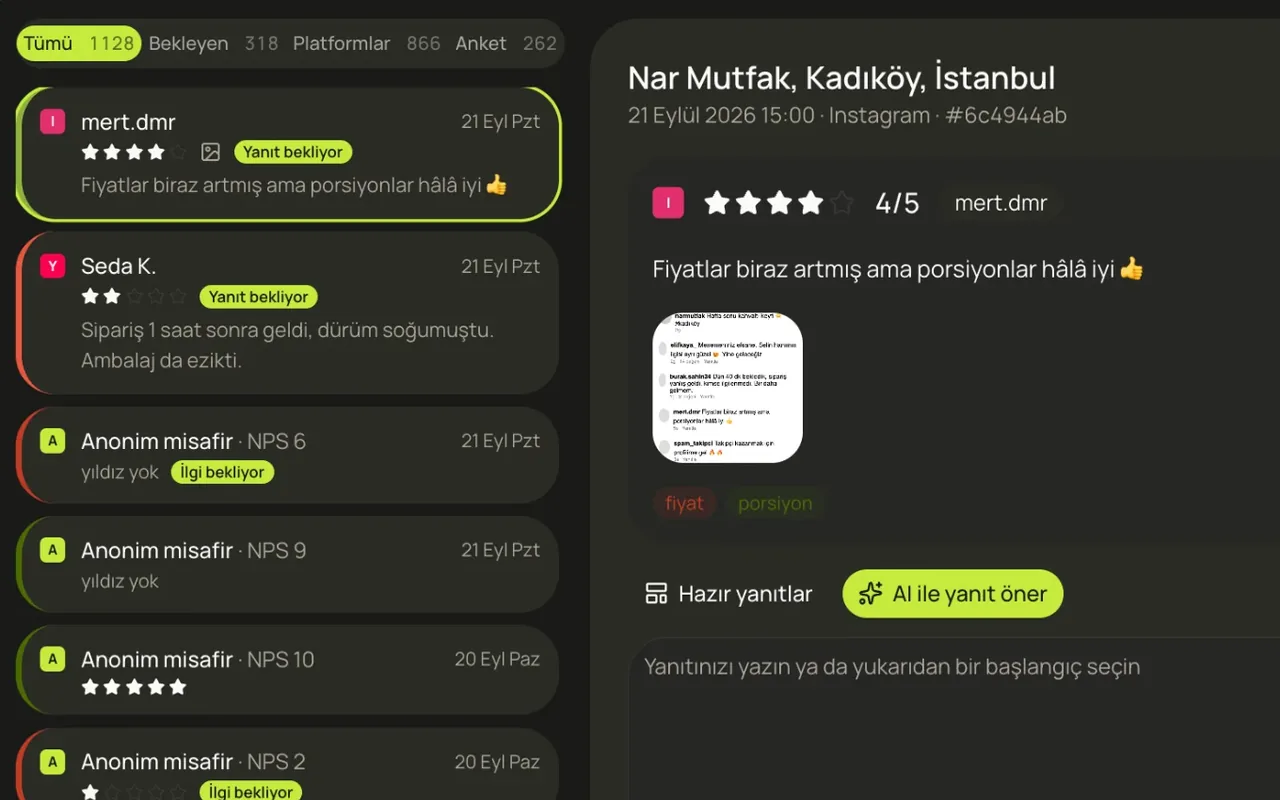
Reviews from Google, QR surveys, Yemeksepeti, Getir, Trendyol, Instagram and TikTok in one list.
Learn moreIn a 20-minute demo, we load your Google reviews and look at what the assistant says, together.
No card required · 10-minute setup · Cancel anytime